

Carpe Iter controllers (Terrain Command, Adventure Control, BMW Control, and Caretta BMW Multi-Controller) feature native Auto-Profile integration with Stegra.io.
When Next-Gen HUD (NGH) detects Stegra.io in the foreground, your physical controller buttons dynamically reconfigure to give you tactile control over map interaction while riding.
All Supported In-App Functions
The following functions are supported by NGH for Stegra.io and can be mapped or customized via the NGH button configuration interface:
- Map Panning: Smooth directional map panning using joysticks or directional pads.
- Zooming: Instant zoom in and zoom out.
- Re-Centering: One-click re-centering on your current GPS location.
- Toggle route mode: Switch between routing and view modes.
- Tilt up/down: Adjust map perspective/camera tilt angle.
- Start/pause ride: Initiate or pause active trip recording.
Customizing Your Layout: You can easily rebind or swap these functions to specific short-press, long-press, or double-press button combinations. For step-by-step instructions, see How to configure / customize remote controller.
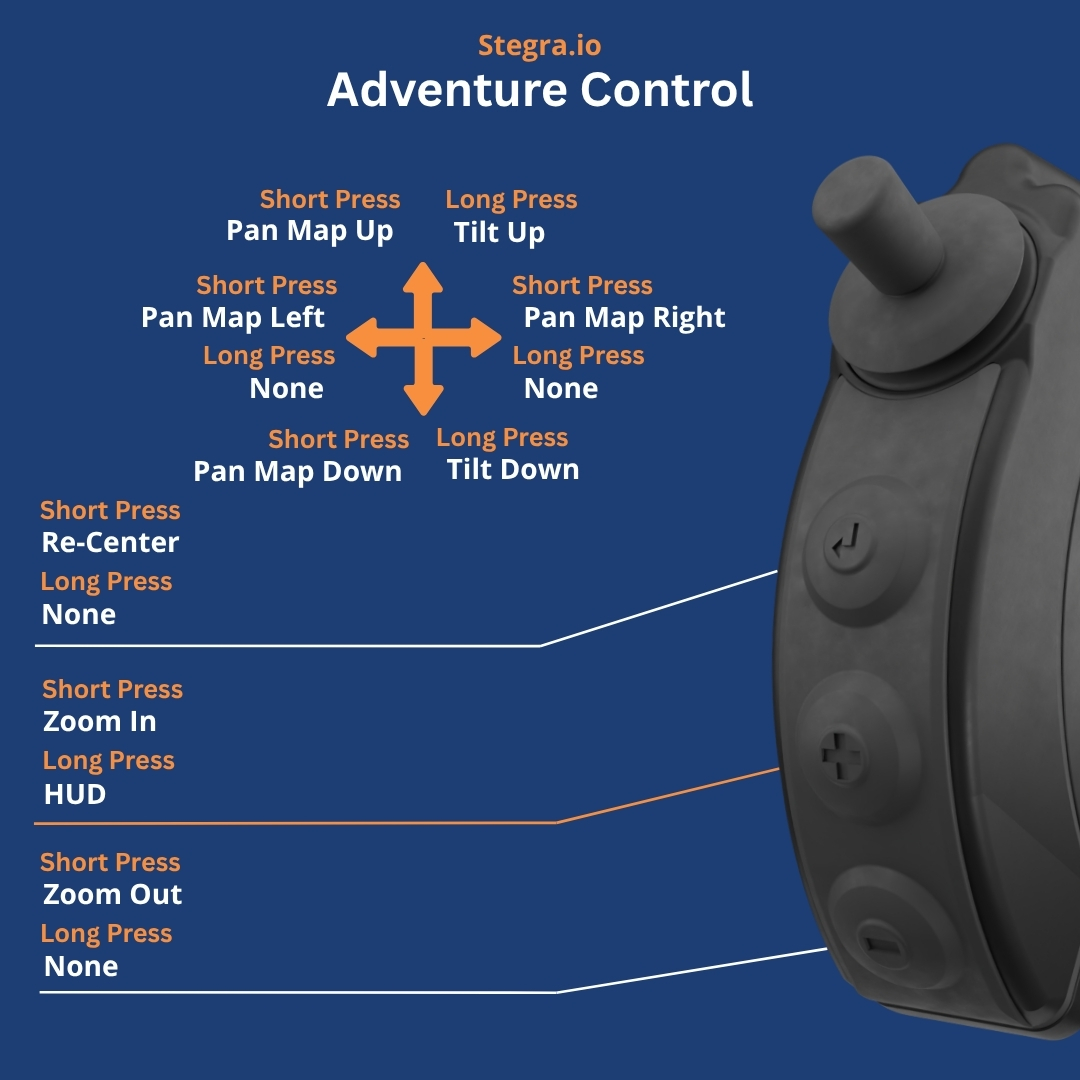
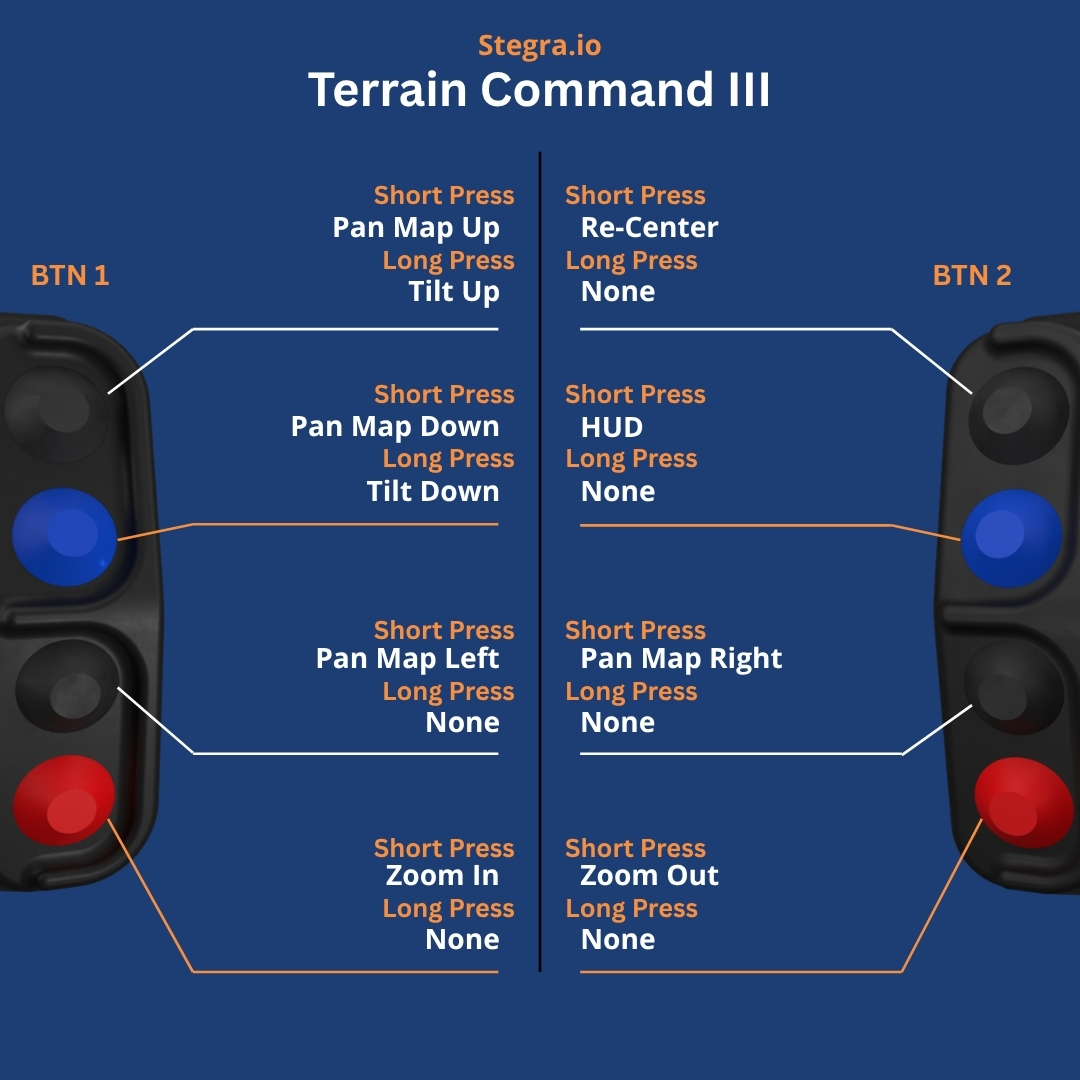
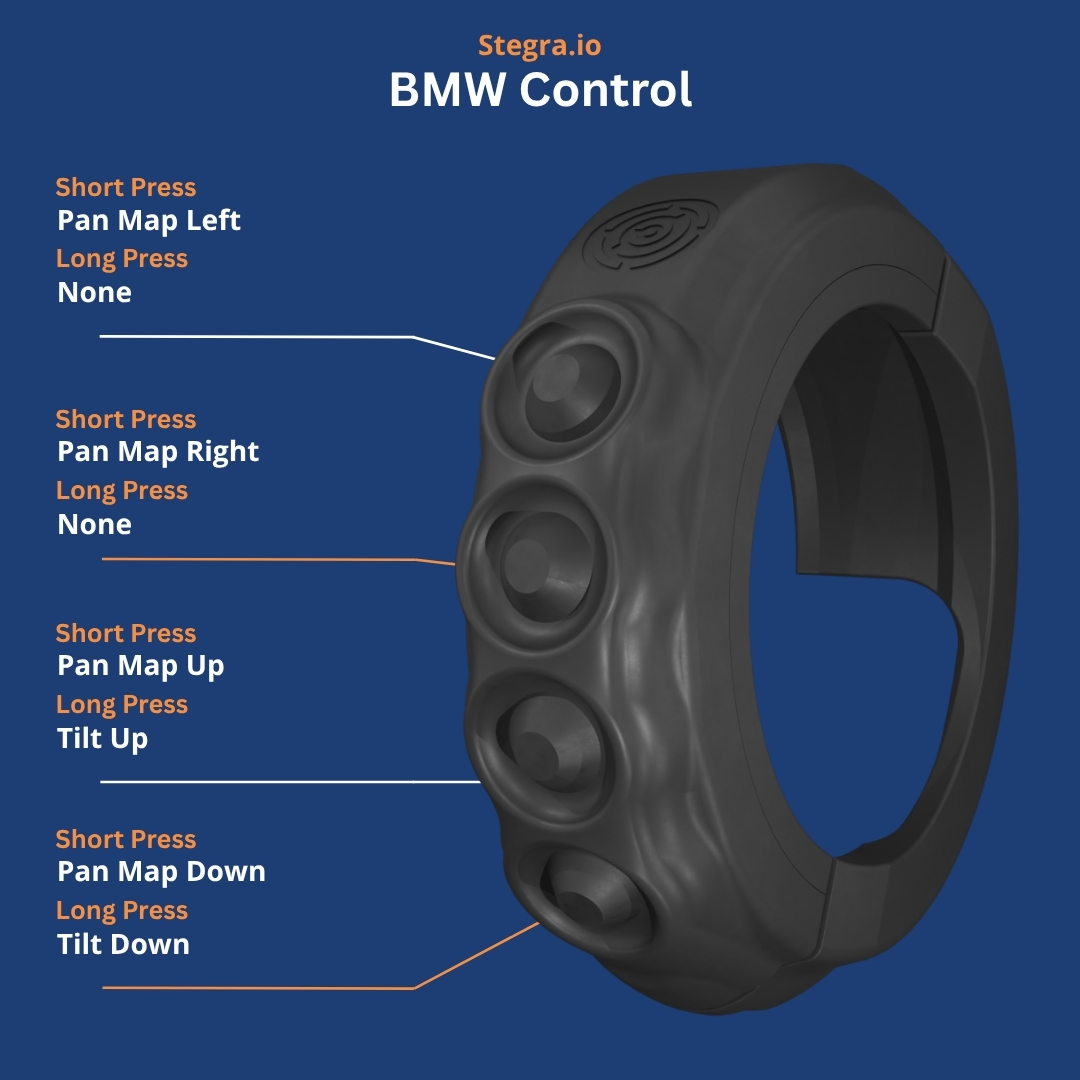
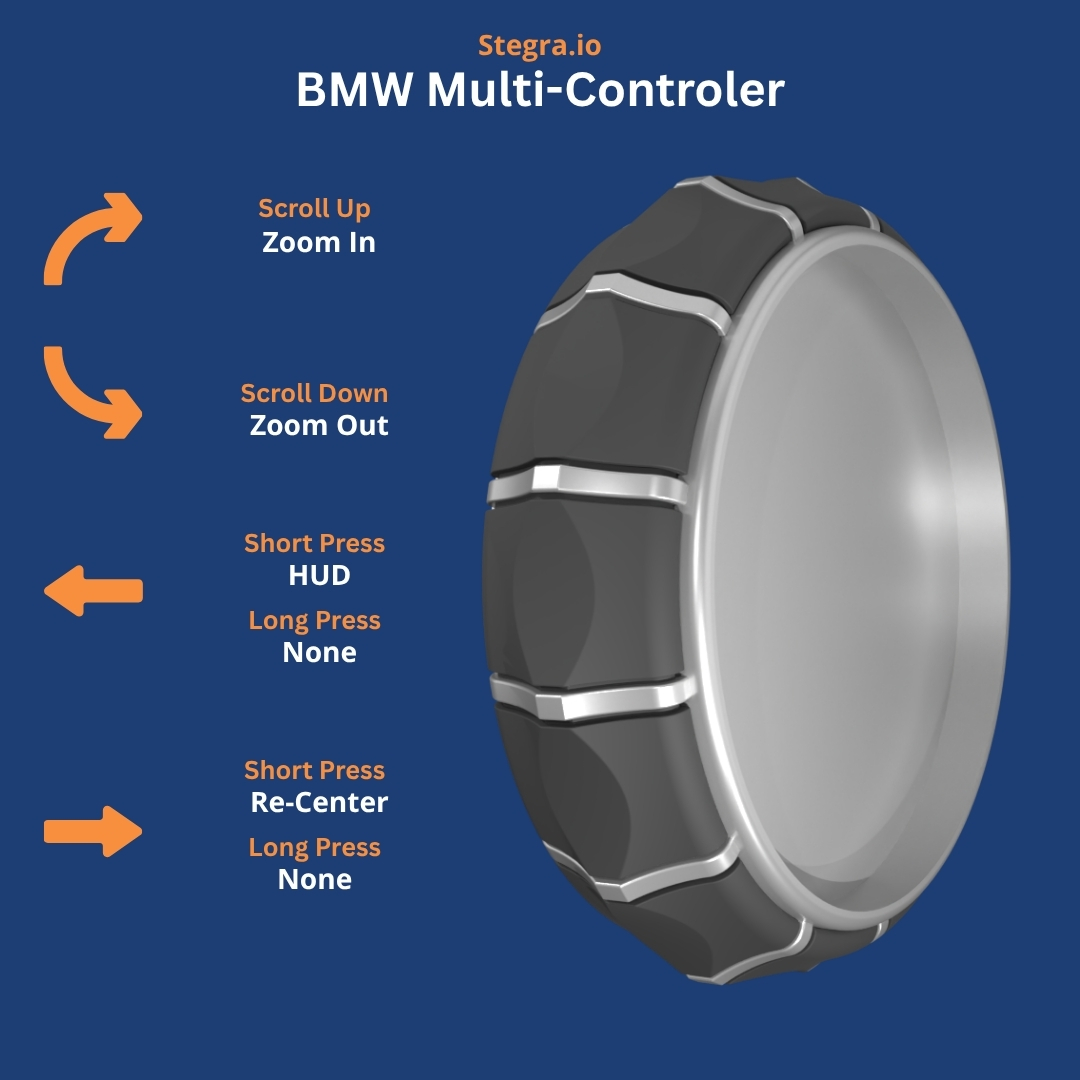
Default Controller Layouts
Below are the default button assignments for each controller profile when running Stegra.io:
Troubleshooting & Setup Notes
- Ensure NGH has been granted Accessibility permissions in Android System Settings.
- Open NGH → Settings → Controller and verify Automatic Profile Switching is toggled ON.
- If Stegra.io is open but buttons do not respond, verify that Stegra.io is updated to the latest Play Store release.
- For detailed hardware connection troubleshooting, see Controller doesn't function as expected.
Was this article helpful?
That’s Great!
Thank you for your feedback
Sorry! We couldn't be helpful
Thank you for your feedback
Feedback sent
We appreciate your effort and will try to fix the article