

Using Multiple Remote Controllers in NGH
NGH supports pairing multiple Carpe Iter remote controllers. This is useful when you operate multiple motorcycles equipped with Carpe Iter controllers while using the same Android device (such as the Caretta) across all bikes.
Note: While you can pair multiple controllers to your Android device, only one controller can be actively in use at any given time.
Pairing Your Controllers
To pair and connect your Carpe Iter controllers, follow the connection guide for each device.
Switching Between Paired Controllers
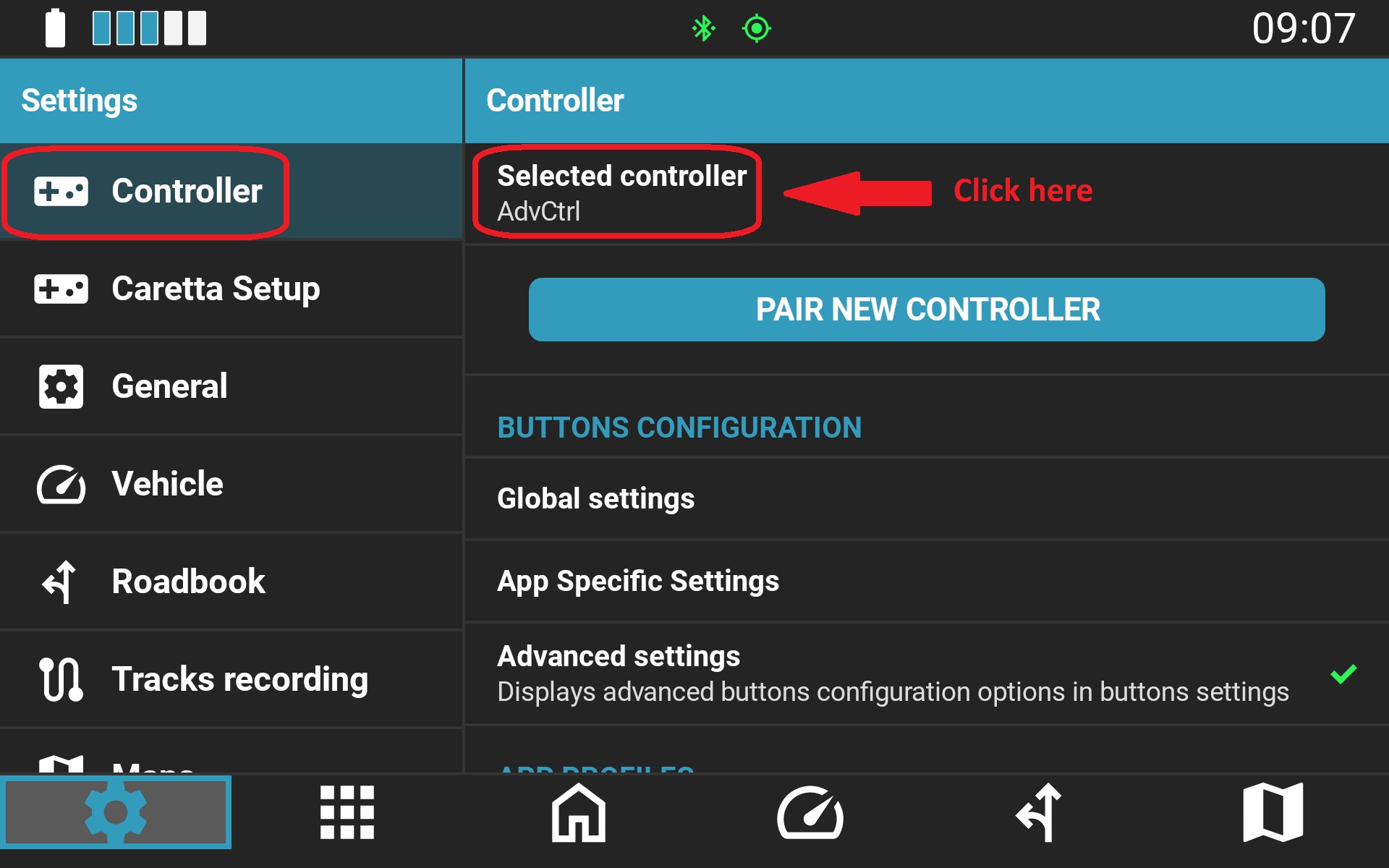
Switching between previously paired controllers is handled in NGH settings:
- Navigate to NGH Settings > Controllers.
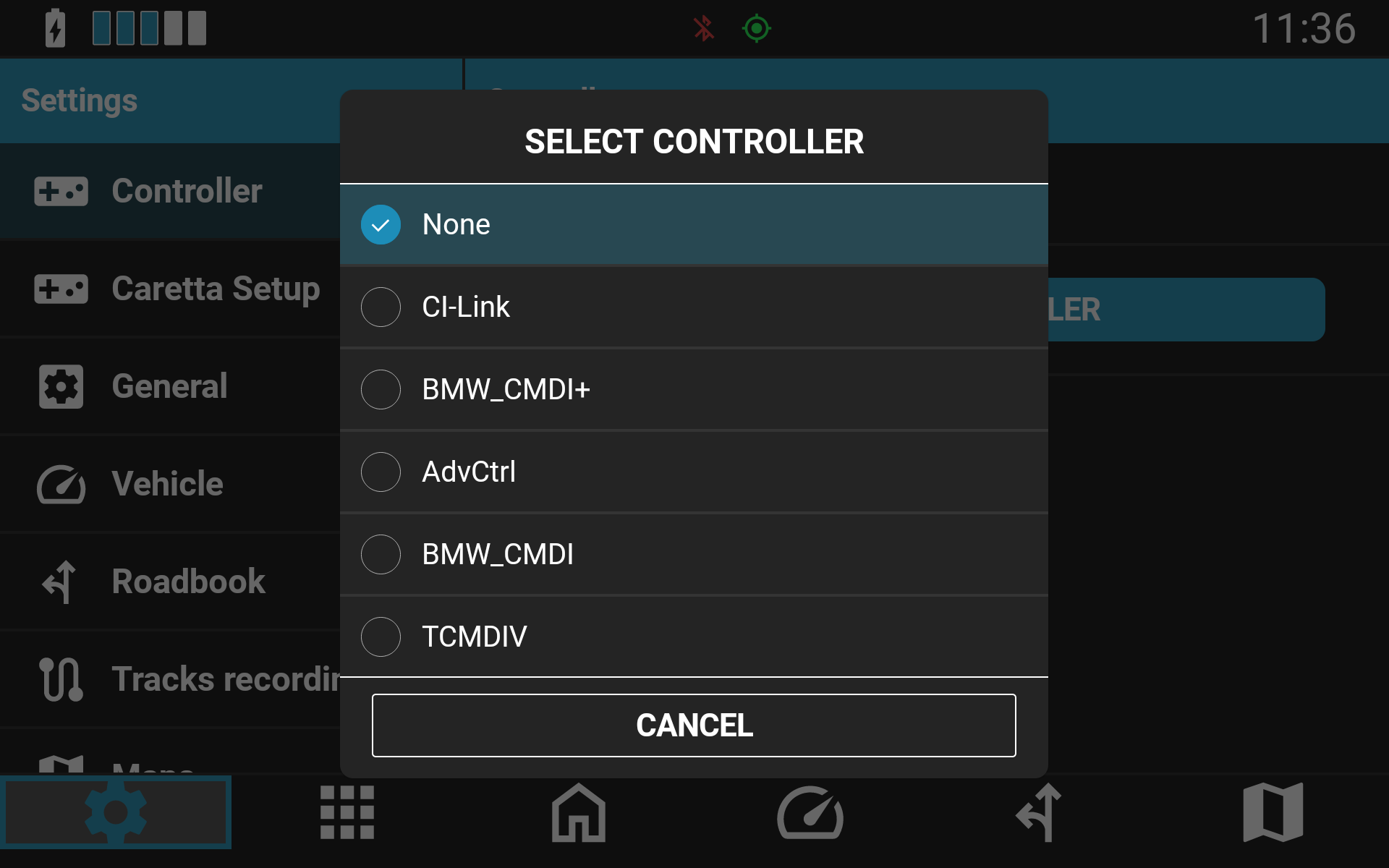
- Select the controller you plan to use. (The controller does not need to be connected at the time of selection).
- The selected controller will automatically connect the next time it is powered on and in range. In some cases, you may need to press a button on the controller to wake the connection.
Was this article helpful?
That’s Great!
Thank you for your feedback
Sorry! We couldn't be helpful
Thank you for your feedback
Feedback sent
We appreciate your effort and will try to fix the article