

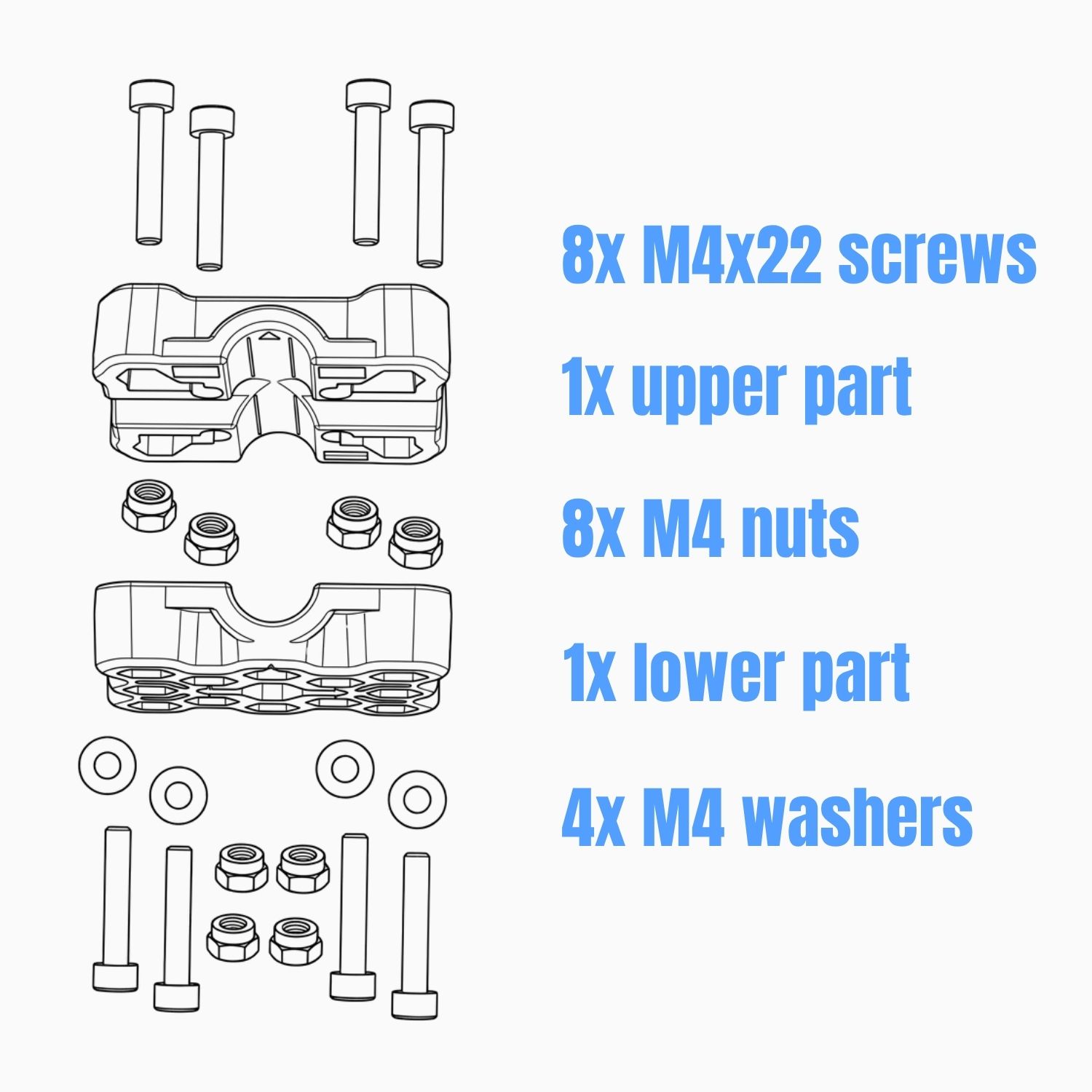
Parts List
Installation Guide
It is recommended to pre-assemble the AMPS base on the bar before attaching the Cradle.
-
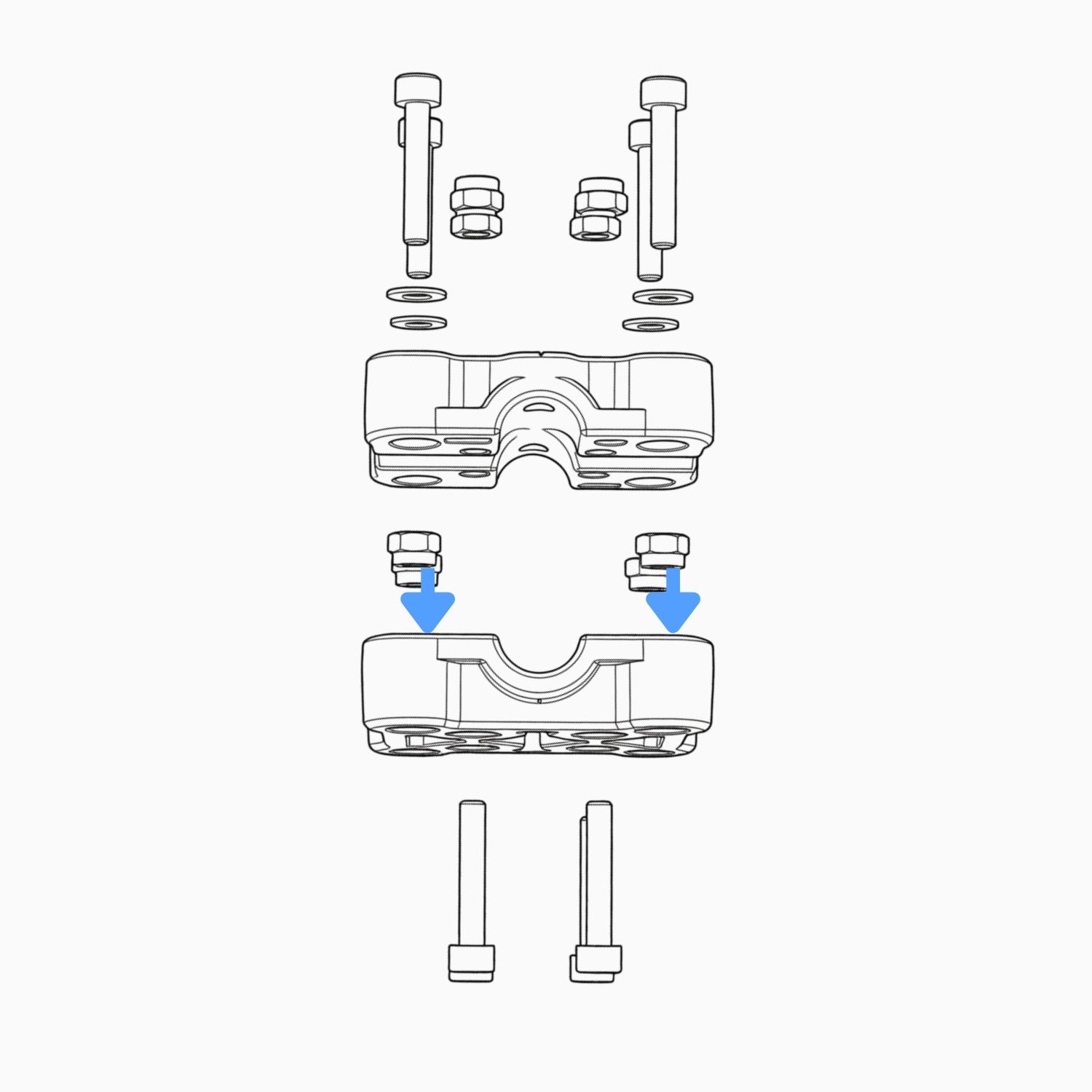
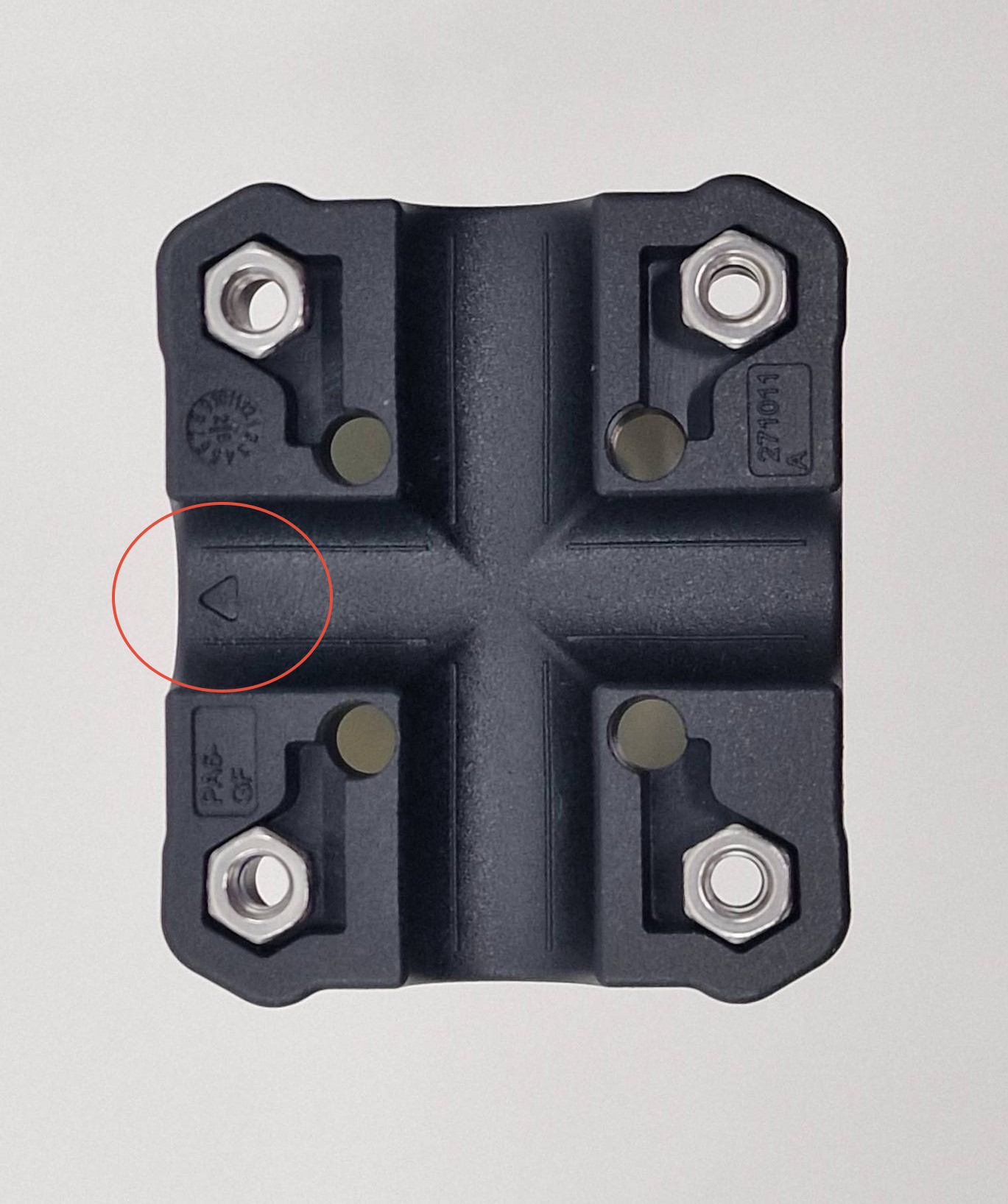
Place the bottom section of the bracket onto the bar.
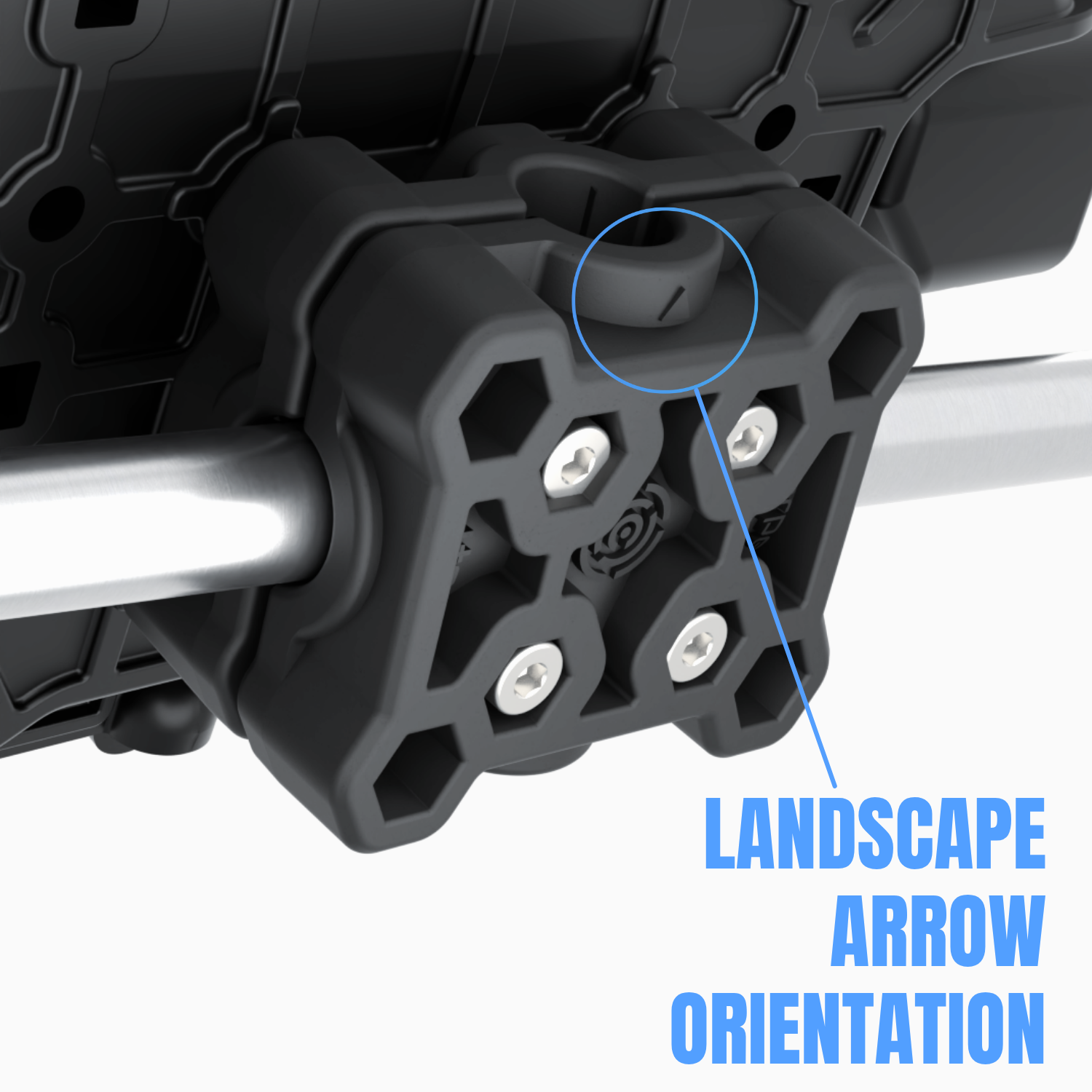
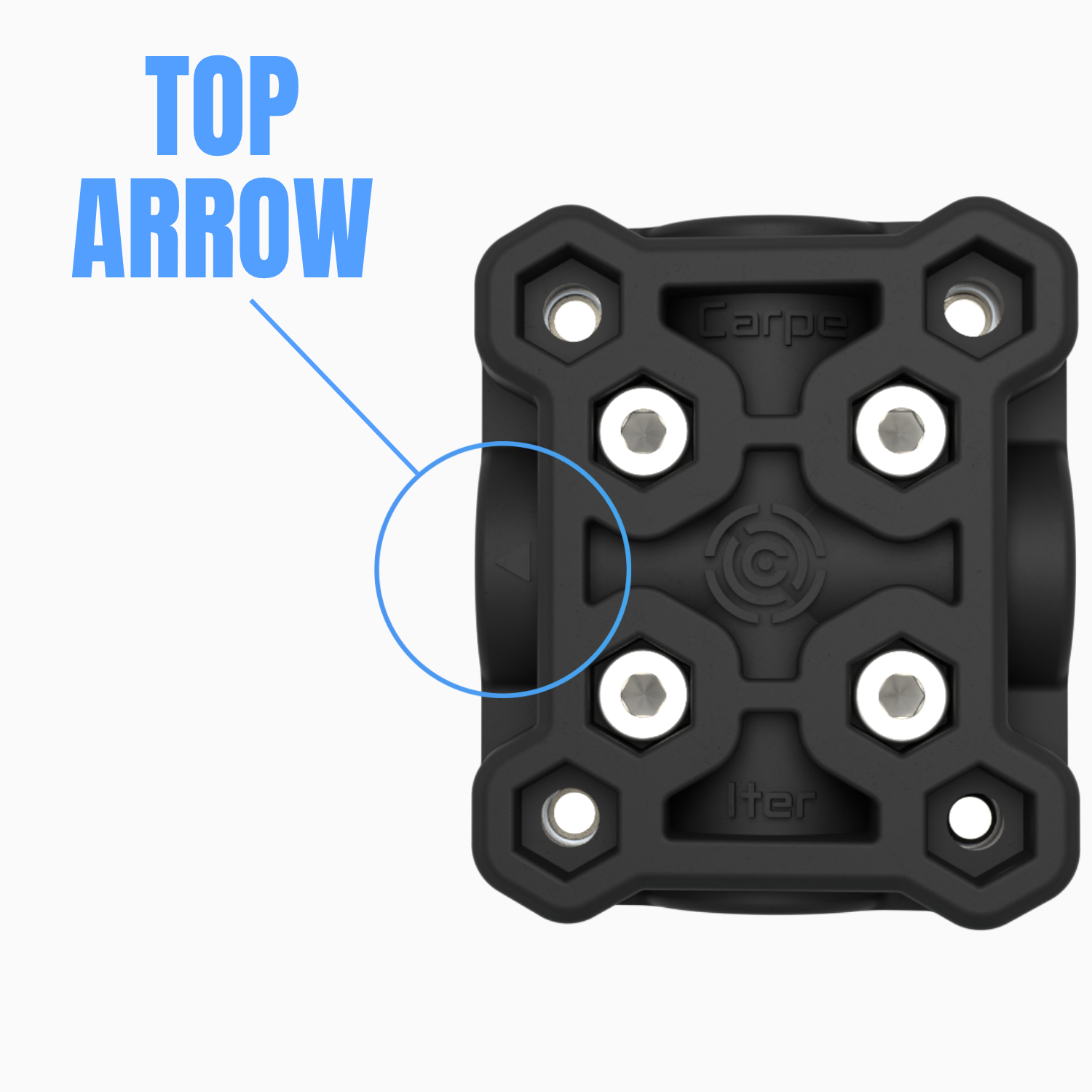
Landscape installation: Ensure the pointer faces forward.
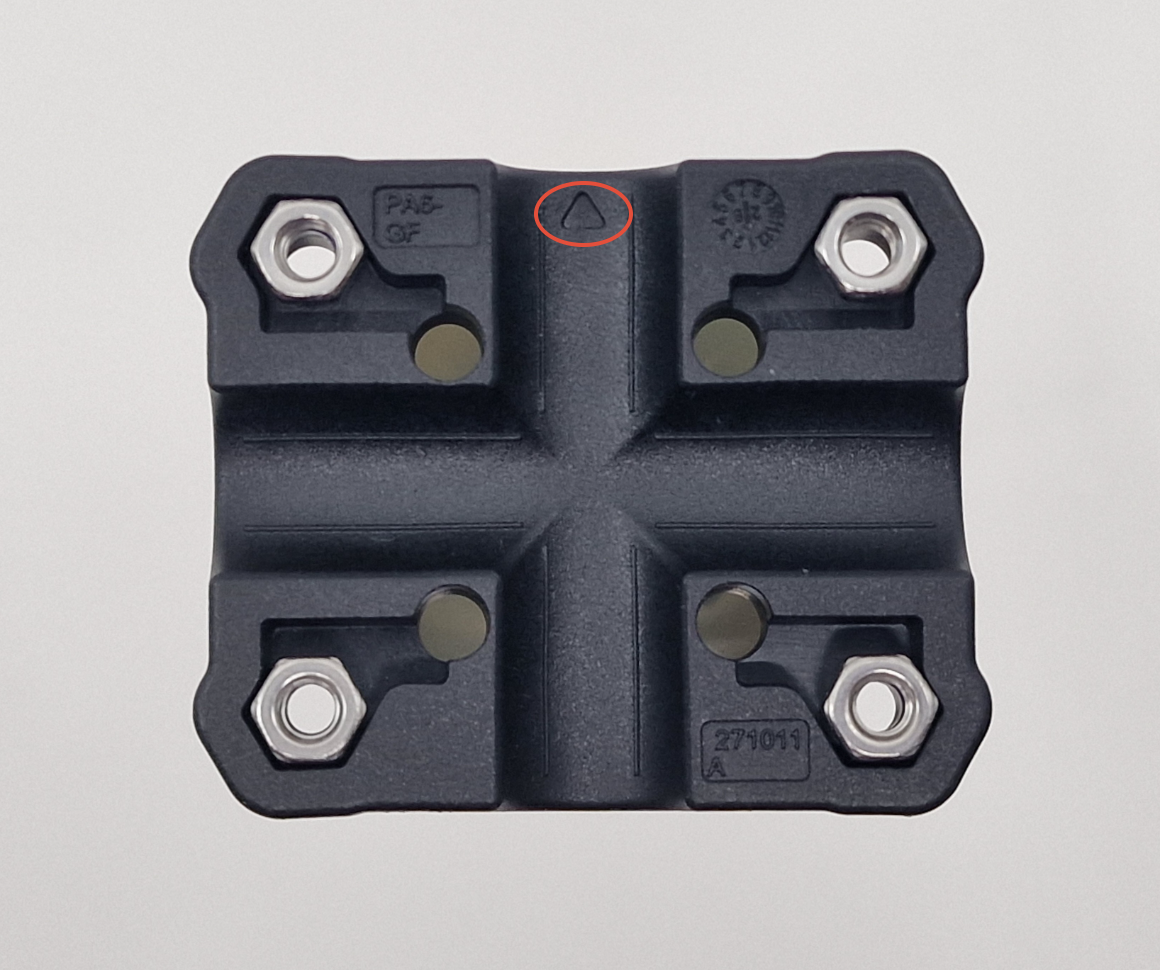
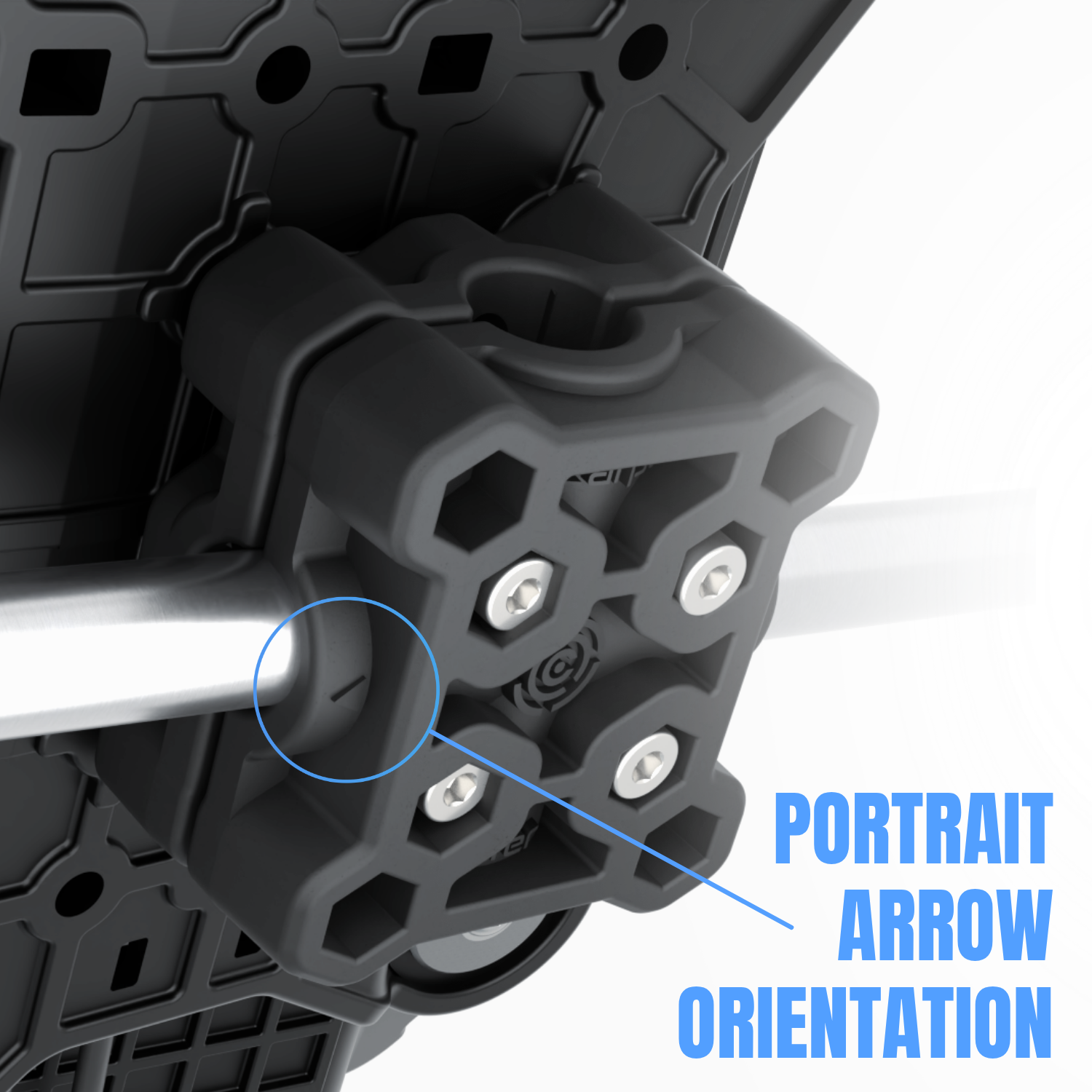
Portrait installation: Ensure the pointer faces left.
-
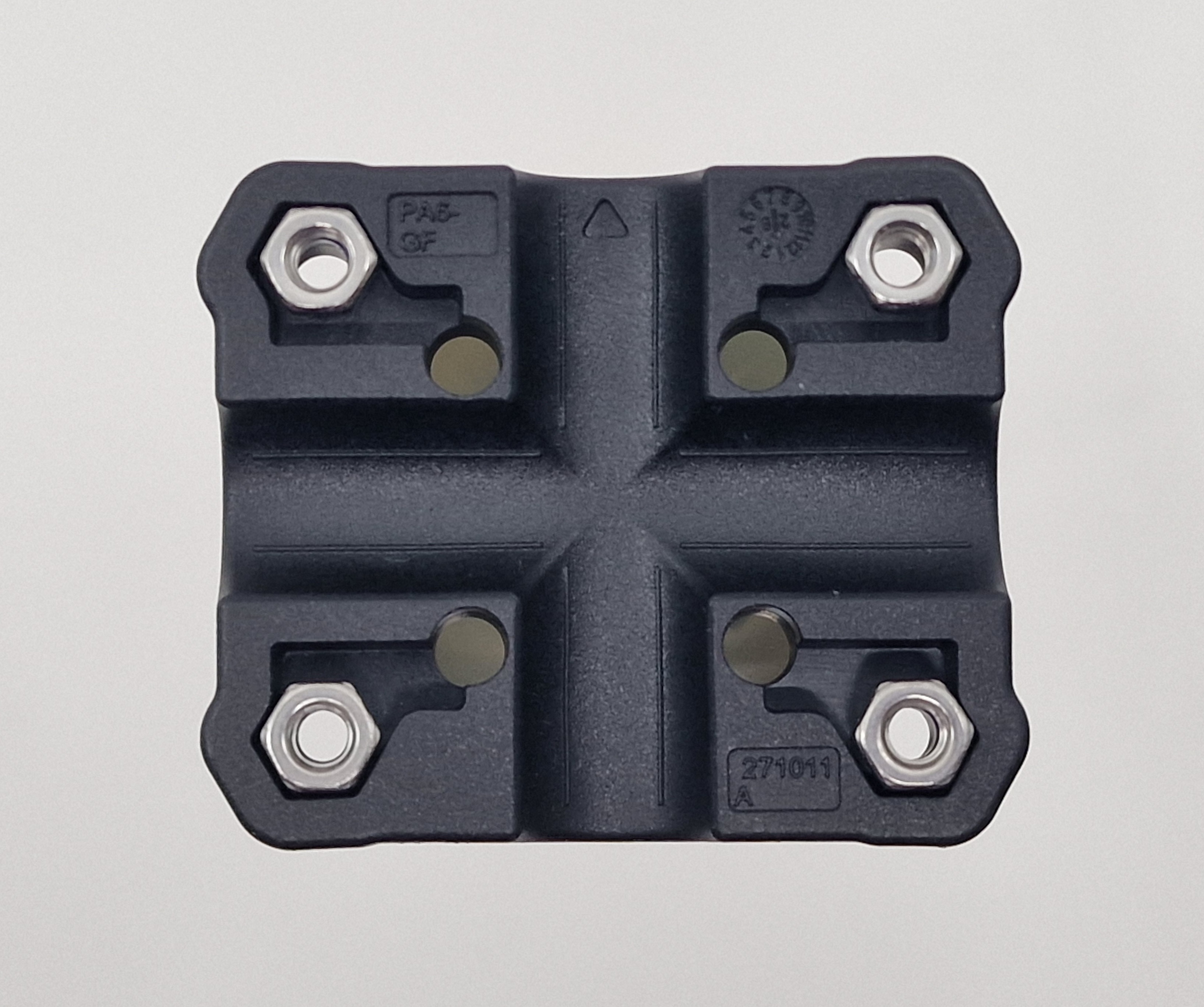
Insert the 4 nuts into the corner holes of the bottom bracket section (the Cradle will attach to these later).
Important: Position the nuts so the threaded metal side faces the incoming screw. The screw must engage the metal threads first before passing through the nylon locking element. When placed correctly, you should NOT see the nylon thread-locking insert.
-
Place the upper bracket section onto the assembly. Ensure that the pointer faces forward for landscape installation or left for portrait installation.
-
Insert 4 nuts into the 4 center holes and secure them with screws from the rear.
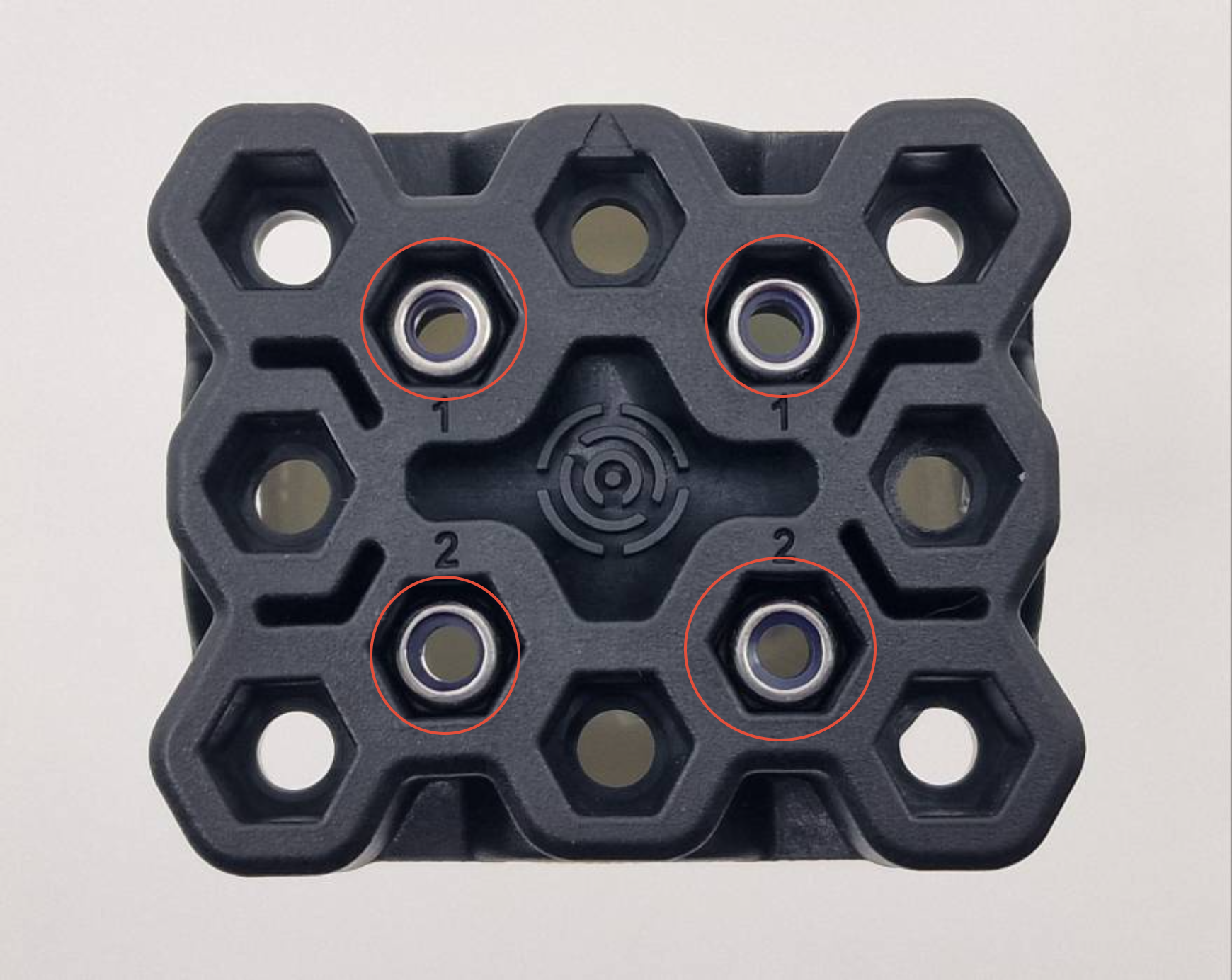
Note: The nut threads must face the screws coming from the rear (you should see the nylon locking insert when placed correctly). Ensure each nut sits squarely in its recess. Do not fully tighten yet so that you can adjust the angle after the Cradle is attached.
-
Attach the Cradle using the M4x22 screws and washers.
-
If the Cradle mounting screws do not catch the nuts, use a thin hex key to adjust the nut alignment or push gently from the rear.
-
Torque the Cradle mounting screws. Recommended torque: 0.5 Nm. Do NOT overtighten — these screws only secure the Cradle to the AMPS base and do not affect the clamping force on the bar.
-
Adjust the Cradle to the desired viewing angle, then torque the 4 center screws to ensure sufficient AMPS base clamping force. Do not exceed 2 Nm.
Portrait Orientation Explained
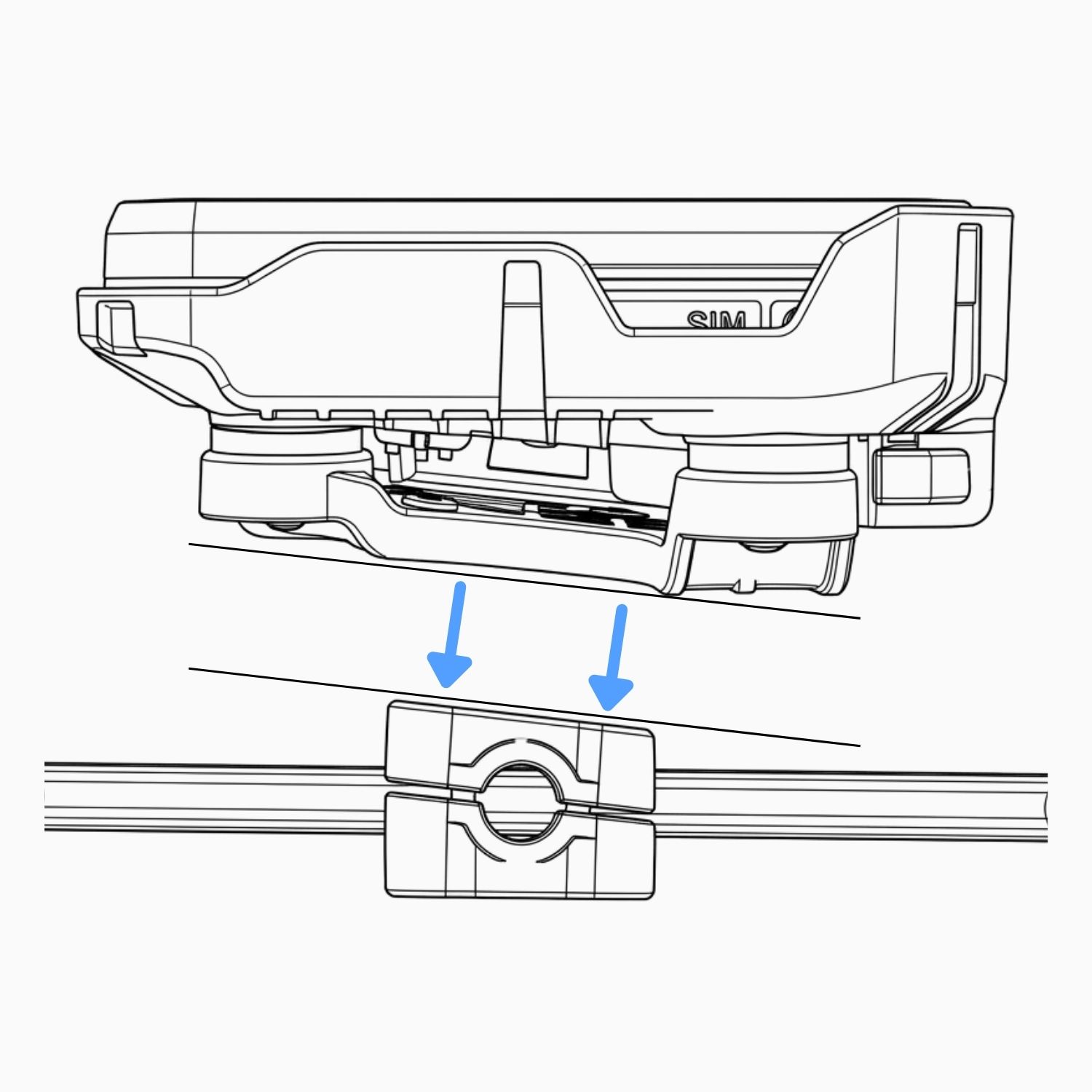
The AMPS base features an asymmetrical design to compensate for the device's wedged shape when mounted in a portrait (vertical) orientation. This intentional asymmetry ensures that the device screen remains perfectly parallel to the GPS bar once installed.
The wedge-shaped design of the Caretta results from the intentional placement of a large GPS antenna in the upper part of the housing.
Was this article helpful?
That’s Great!
Thank you for your feedback
Sorry! We couldn't be helpful
Thank you for your feedback
Feedback sent
We appreciate your effort and will try to fix the article