

Caretta incorporates dedicated hardware circuitry and an integrated MCU responsible for communicating with the Cradle, as well as handling CAN bus and RS485 connectivity. Keeping the firmware for these components up to date is critical for reliable performance.
Firmware Distribution via NGH
Firmware updates are distributed independently of full operating system updates via the Next-Gen HUD (NGH) application. Because firmware files are only a few kilobytes in size, decoupling them from OS updates avoids unnecessary multi-gigabyte system downloads.
Starting with NGH version 1.29, available firmware updates will trigger a notification and an in-app pop-up. Ensure that NGH is kept up to date via the Google Play Store.
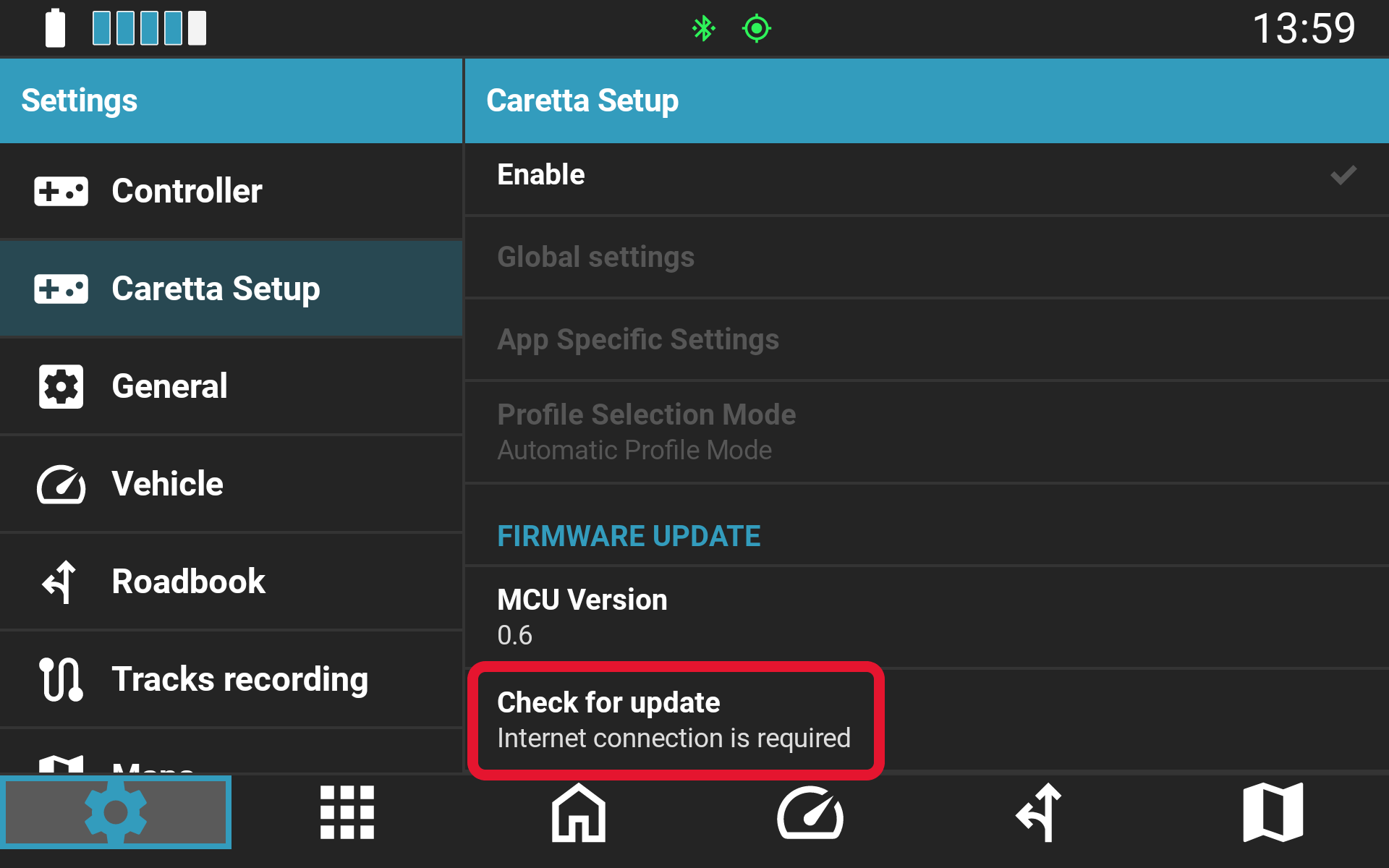
To check for and install firmware updates manually (an active internet connection is required):
Navigate to NGH Settings > Caretta setup and scroll to the bottom of the page.
Two-Phase Update Process
The firmware update is applied in two distinct phases:
- Caretta Mainboard Components: Applied manually by the user within the NGH application as described above.
- Cradle MCU: Applied automatically to the MCU in the Cradle electronics the first time Caretta is placed into the Cradle following Step 1.
Important Note on Cradle Updating: When Caretta is first placed in the Cradle after a mainboard firmware update, there will be a temporary interruption in power delivery and communication for approximately 20 seconds. During this window, Caretta will not receive external power, and connected handlebar controls (e.g., BMW Wonderwheel) or bike dashboard integrations will be inactive. Standard operation will resume automatically once the update completes.
Was this article helpful?
That’s Great!
Thank you for your feedback
Sorry! We couldn't be helpful
Thank you for your feedback
Feedback sent
We appreciate your effort and will try to fix the article