

Carpe Iter controllers (Terrain Command, Adventure Control, BMW Control, and Caretta BMW Multi-Controller) feature native Auto-Profile integration with Locus Map 3 and Locus Map 4.
When Next-Gen HUD (NGH) detects Locus Map in the foreground, your physical controller buttons dynamically reconfigure to provide seamless map panning, zooming, track recording, and map style toggling without needing to touch the screen.
Supported Functions Out-of-the-Box
- Map Panning: Smooth directional panning using joysticks or directional pads.
- Zooming & Map Centering: Instant zoom in/out and one-click re-centering on current GPS position.
- Map Orientation: Toggle between North-Up, Course-Up.
- Manual Route Re-Calculation: Trigger dynamic route recalculation during active navigation.
- Track Recording: One-touch start, pause, and resume for track logging.
- Map Style Switching: Quick-toggle to switch to the previous map theme or preset.
- Map Overlays: Enable or disable active map overlays (e.g., hillshading, heatmaps, weather).
Default Controller Layout Graphics
Click any layout image to view full-size key assignments for Locus Map:
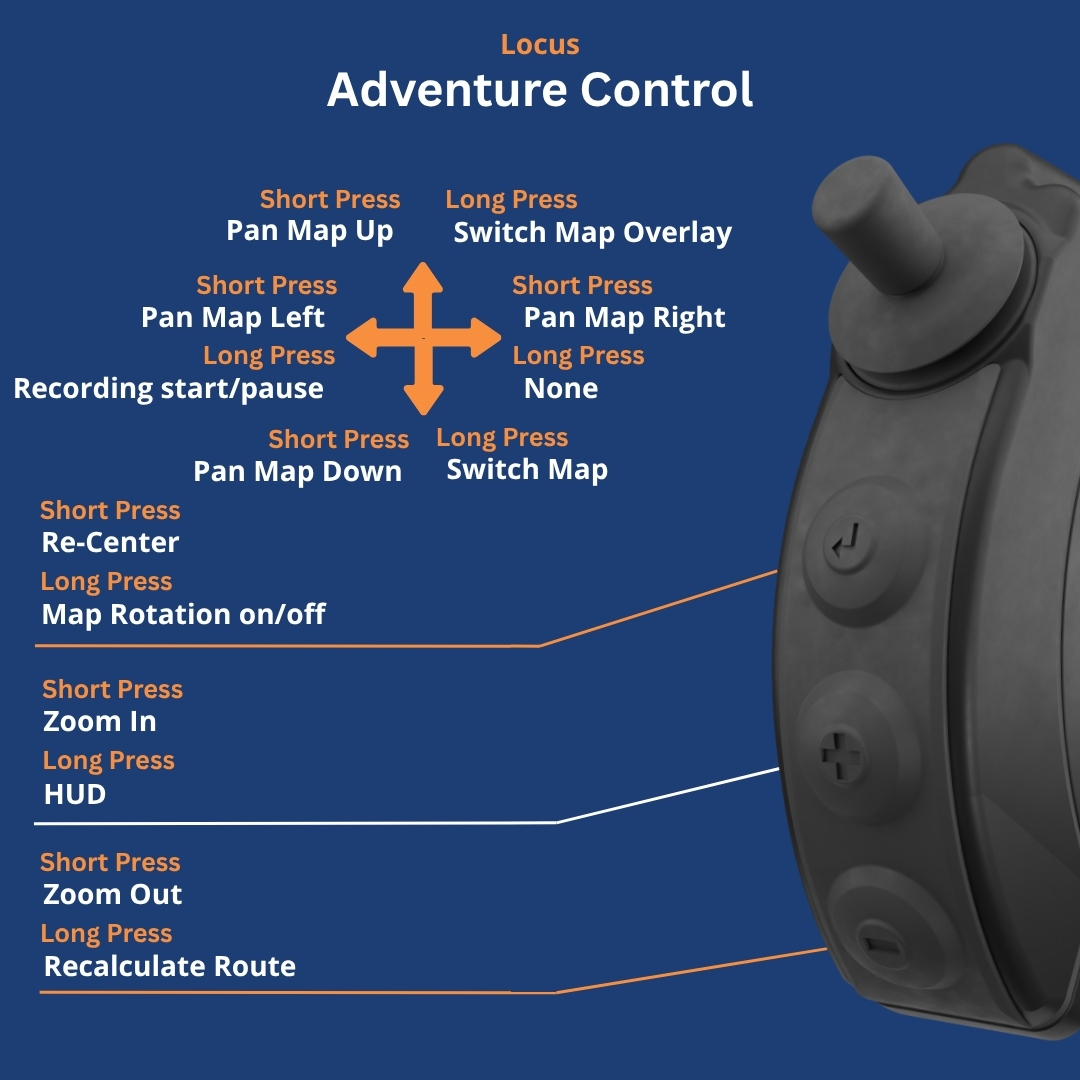
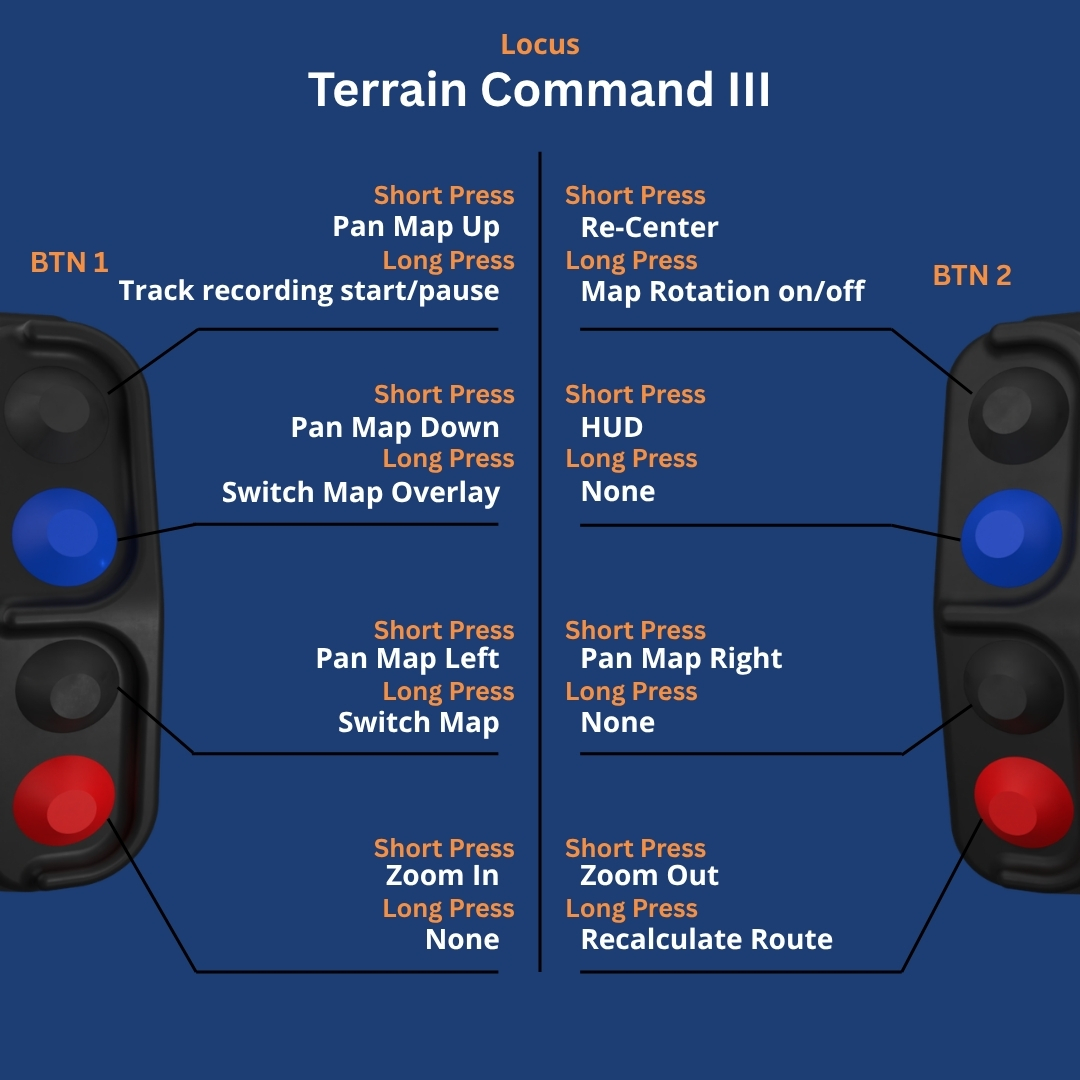
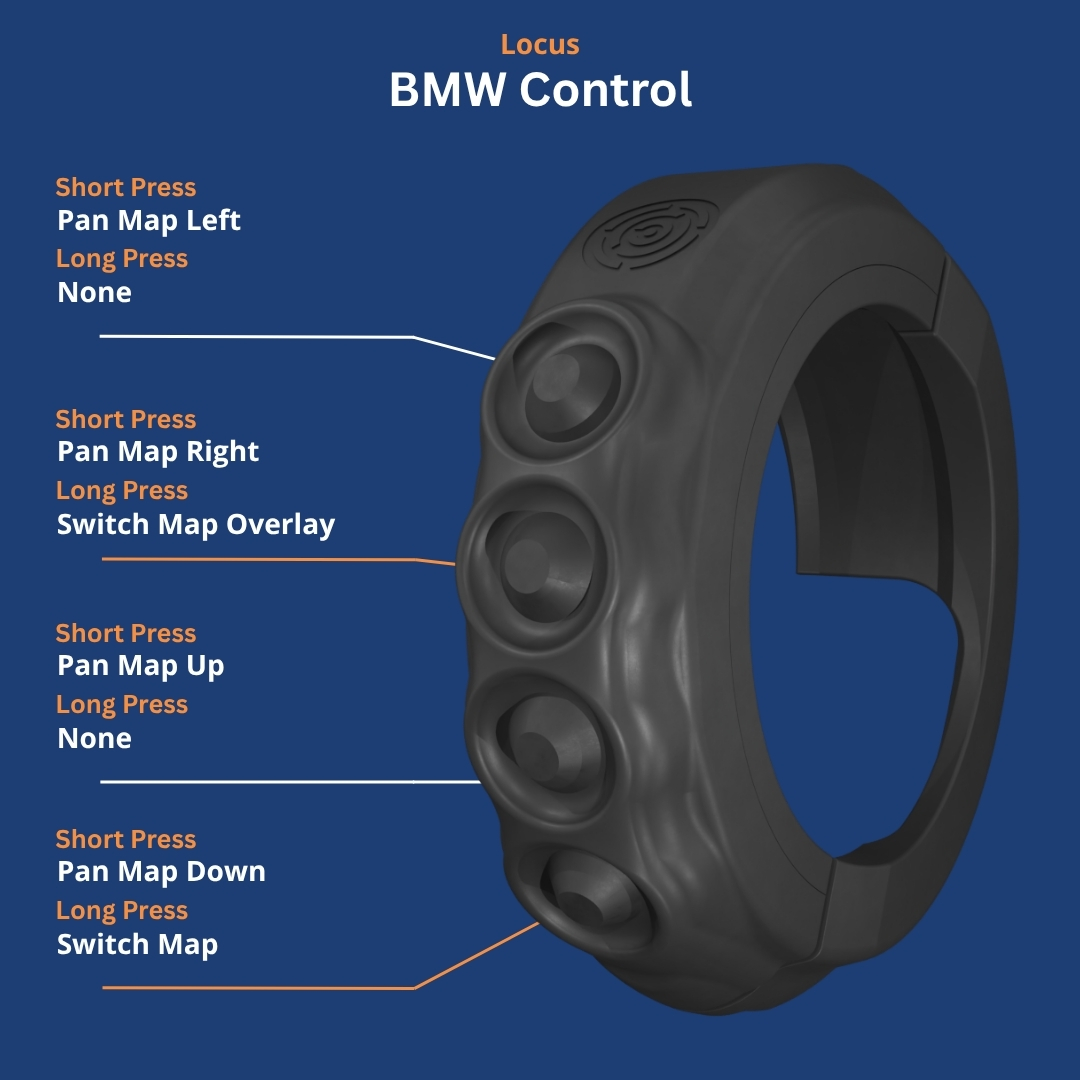
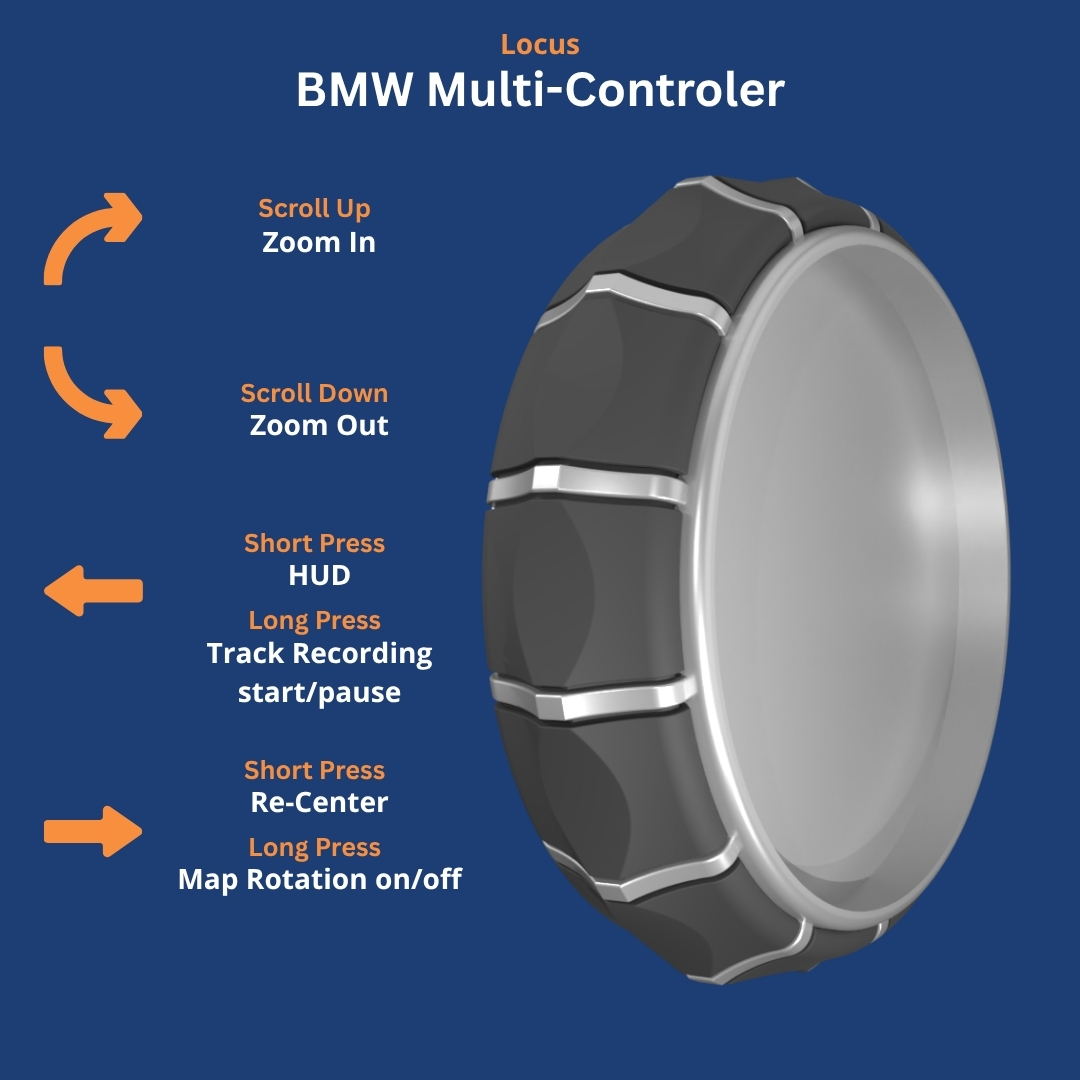
⚠️ BMW Control / Wonderwheel Limitation: On standard controllers, manual route recalculation is triggered via a long-press on Zoom Out. Because rolling wheel sensors cannot register a long-press duration, manual route recalculation is not supported on BMW Control or Multi-Controller profiles. You can map the function on other control element in the controller configuration settings.
Planned Features (Upcoming Releases)
We are actively expanding Locus Map integration in upcoming NGH updates. Planned functions include:
- Skip to next waypoint during active navigation.
- Navigate to pre-defined favorite location (Home / Basecamp).
- Enable / disable custom Locus dashboard overlays.
- Add waypoint at current GPS location.
Troubleshooting & Setup Notes
- Ensure NGH has been granted Accessibility permissions in Android System Settings.
- Open NGH → Settings → Controller and verify Automatic Profile Switching is toggled ON.
- If Locus Map is open but buttons do not respond, verify that Locus Map is updated to the latest Play Store release.
- For detailed hardware connection troubleshooting, see Controller doesn't function as expected.
Was this article helpful?
That’s Great!
Thank you for your feedback
Sorry! We couldn't be helpful
Thank you for your feedback
Feedback sent
We appreciate your effort and will try to fix the article