

Starting with firmware version 37, Adventure Control features a redesigned power-saving mode (Idle Mode) specifically optimized for Li-ion and LiFePO4 batteries.
Key Features & Behavior
- Voltage Level Independence: Power saving is no longer tied to specific voltage thresholds. The controller operates properly even when input voltage exceeds 13.5V (common with LiFePO4 batteries).
- Exiting Idle Mode: Press the button with the "Enter" key symbol (the first button below the joystick) to wake the controller.
- Inactivity Timeline & Power Consumption:
- 20 minutes of inactivity: Controller LEDs turn off, while the Bluetooth connection remains active (current draw is approximately 5mA).
- 3 hours of inactivity: Controller enters deep sleep mode. Power consumption drops to a few microamps, which is negligible and substantially lower than the motorcycle's standard idle parasitic draw.
Configuring Idle Mode
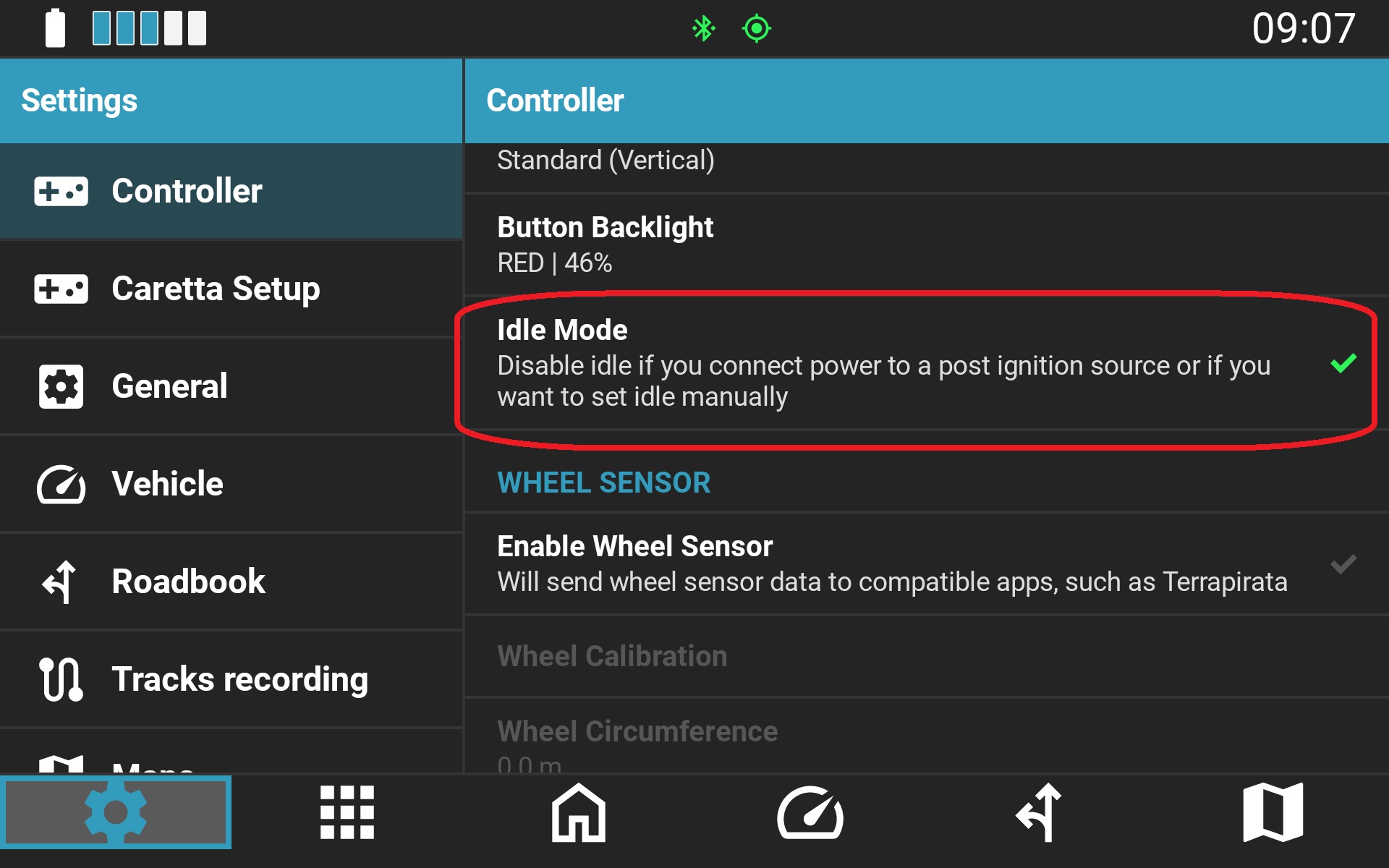
Idle Mode can be enabled or disabled in the NGH controller settings:
Troubleshooting & Firmware Updates
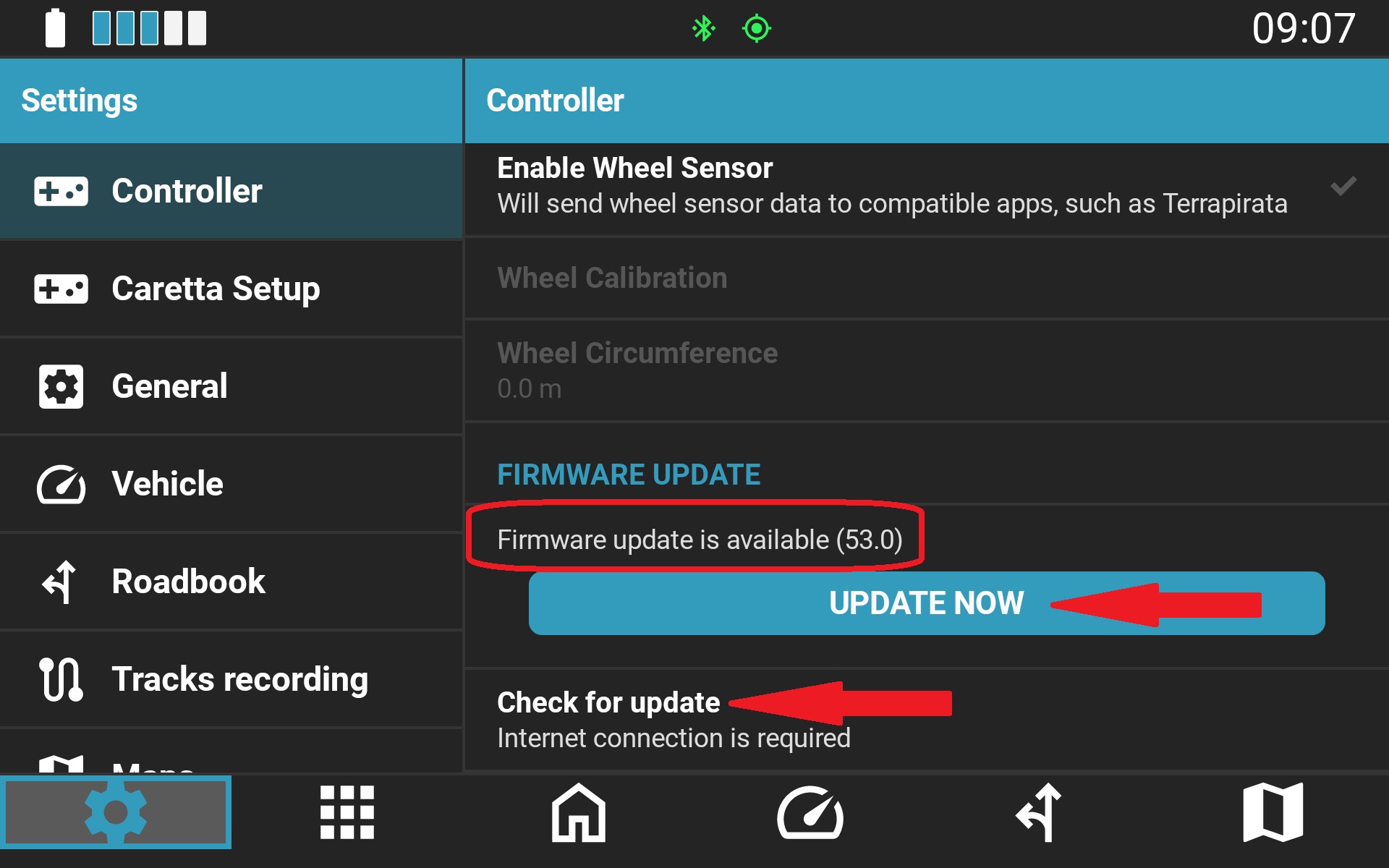
If your controller fails to enter Idle Mode after the timeout period and Idle Mode is not disabled, ensure your firmware is up to date:
- Connect the controller to your device.
- Open NGH Settings > Controller.
- Scroll down and tap Check for updates (an active internet connection is required).
- If an update is available, initiate the installation. The process takes only a few seconds.
Important: Do not disconnect power or unpair/disconnect the controller during the update process.
Was this article helpful?
That’s Great!
Thank you for your feedback
Sorry! We couldn't be helpful
Thank you for your feedback
Feedback sent
We appreciate your effort and will try to fix the article