

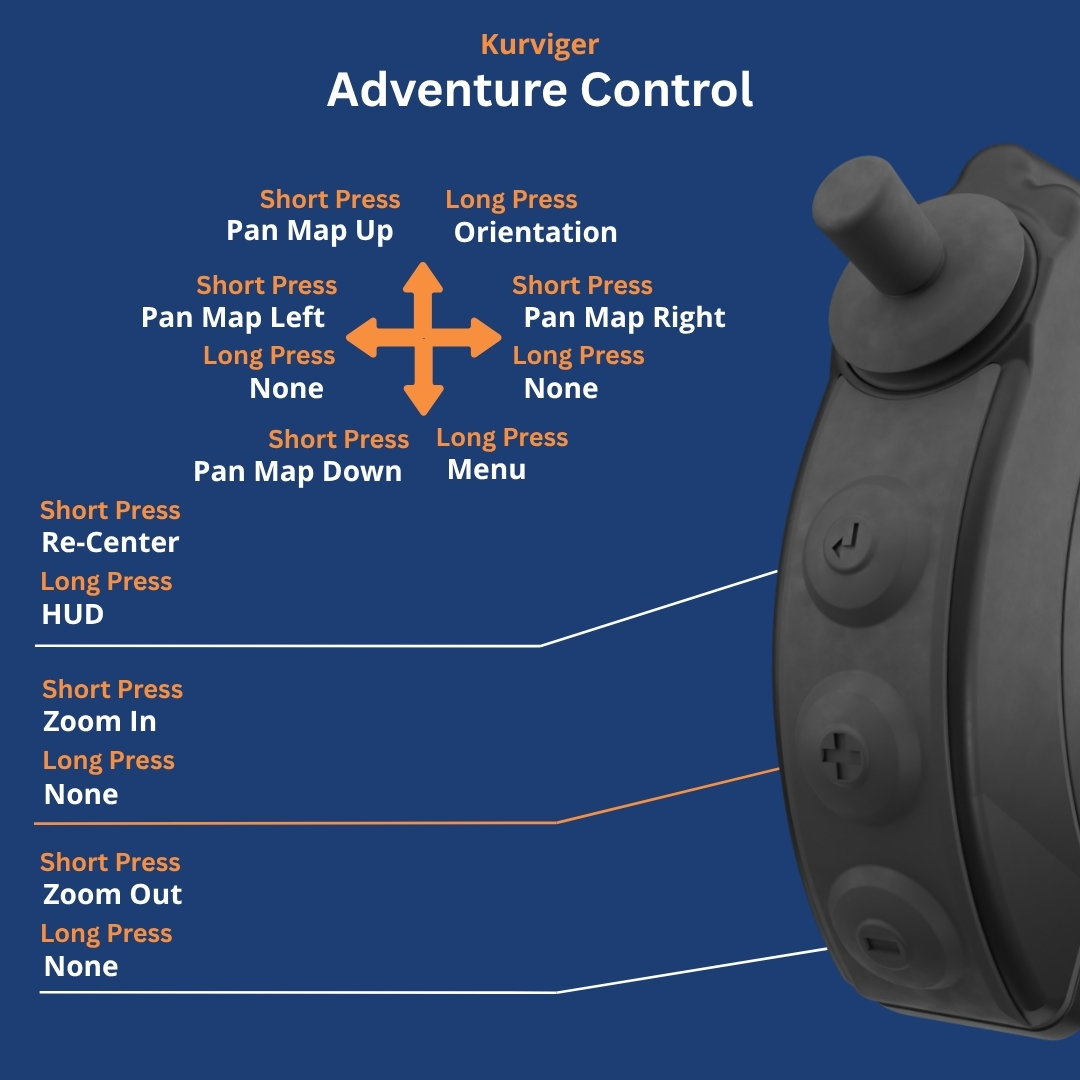
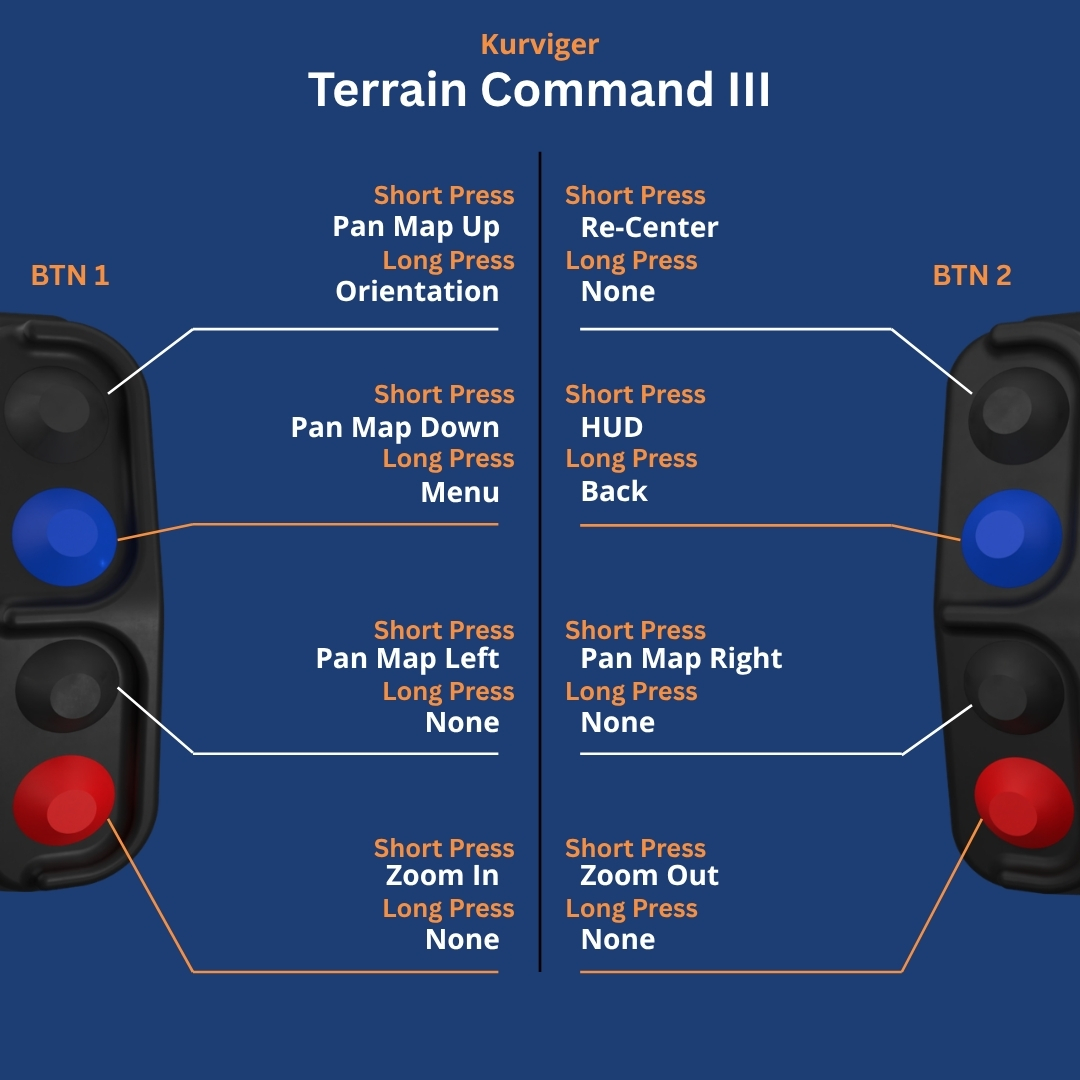
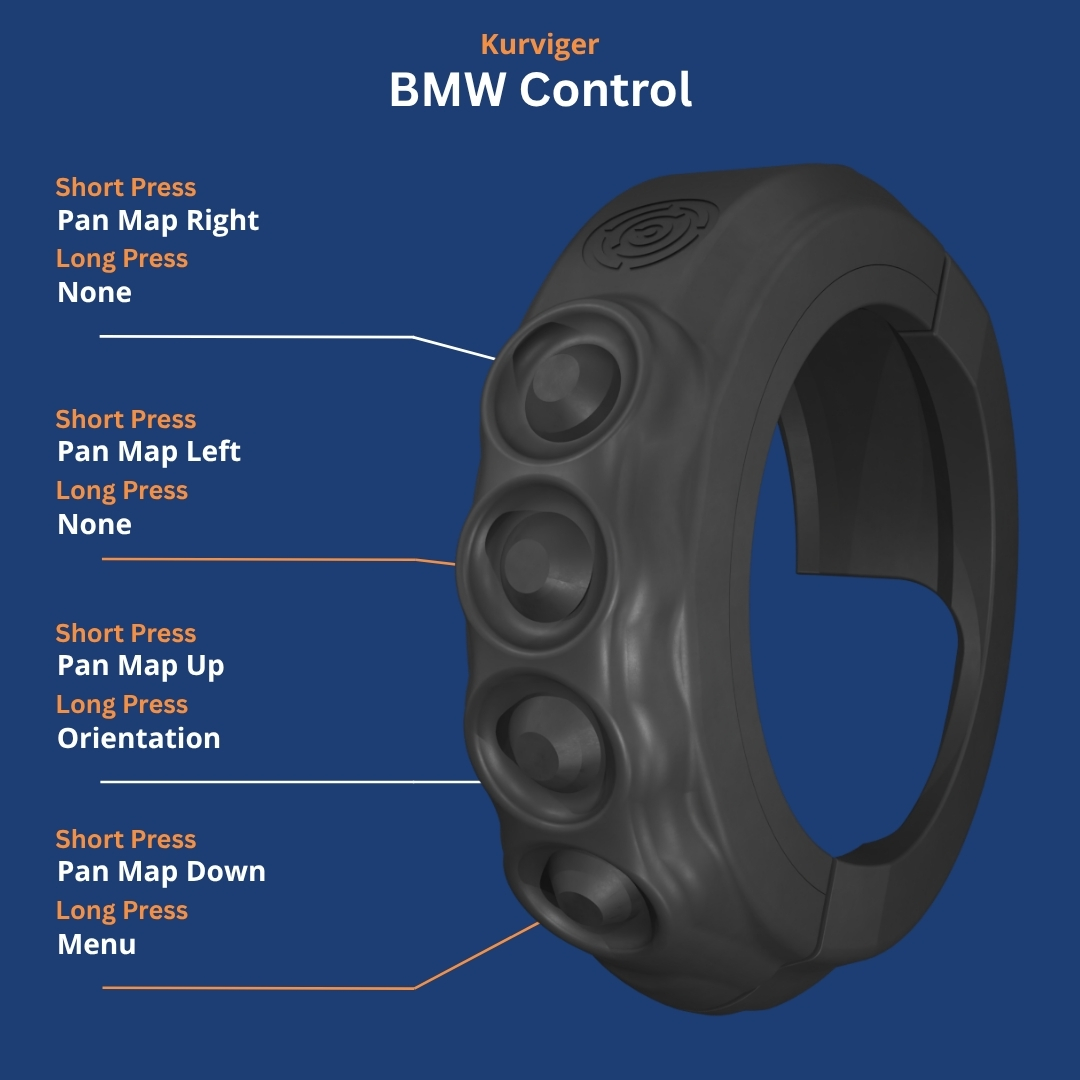
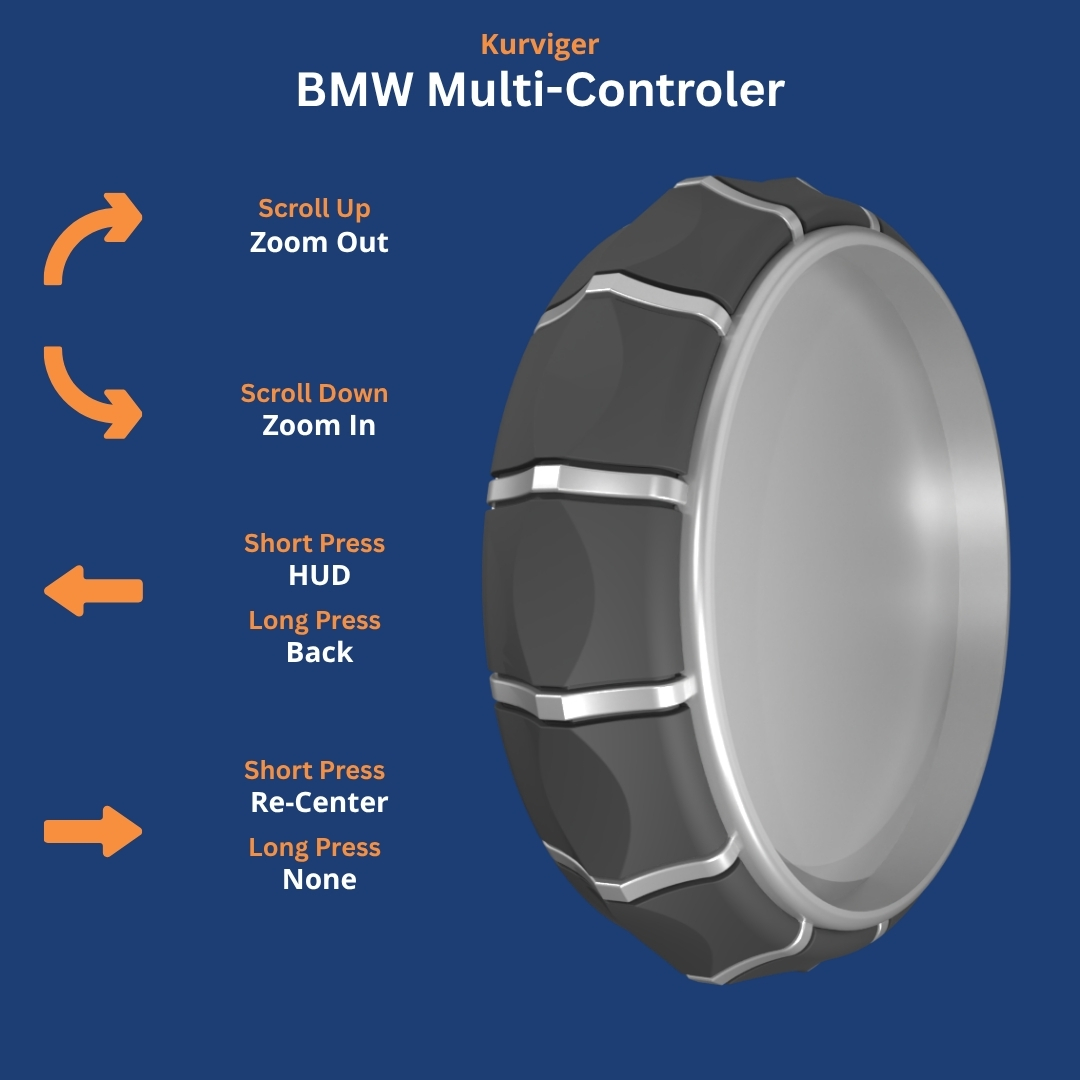
Carpe Iter controllers (Terrain Command, Adventure Control, BMW Control, and Caretta BMW Multi-Controller) feature native Auto-Profile integration with Kurviger.
When Next-Gen HUD (NGH) detects Kurviger in the foreground, your physical controller buttons dynamically reconfigure to your specific hardware profile without requiring manual switching, giving you tactile control over route navigation while riding.
Supported Functions Out-of-the-Box
- Map Panning: Smooth directional map panning using joysticks or directional pads.
- Zooming: Instant zoom in and zoom out.
- Map Centering: One-click re-centering on your current GPS position.
Default Controller Layouts
Below are the default button assignments for each controller profile when running Kurviger:
Troubleshooting & Setup Notes
- Ensure NGH has been granted Accessibility permissions in Android System Settings.
- Open NGH → Settings → Controller and verify Automatic Profile Switching is toggled ON.
- If Kurviger is open but buttons do not respond, verify that Kurviger is updated to the latest Play Store release.
- For detailed hardware connection troubleshooting, see Controller doesn't function as expected.
Was this article helpful?
That’s Great!
Thank you for your feedback
Sorry! We couldn't be helpful
Thank you for your feedback
Feedback sent
We appreciate your effort and will try to fix the article