

How to Insert a SIM or SD Card into the CI Pad
SIM Card Installation
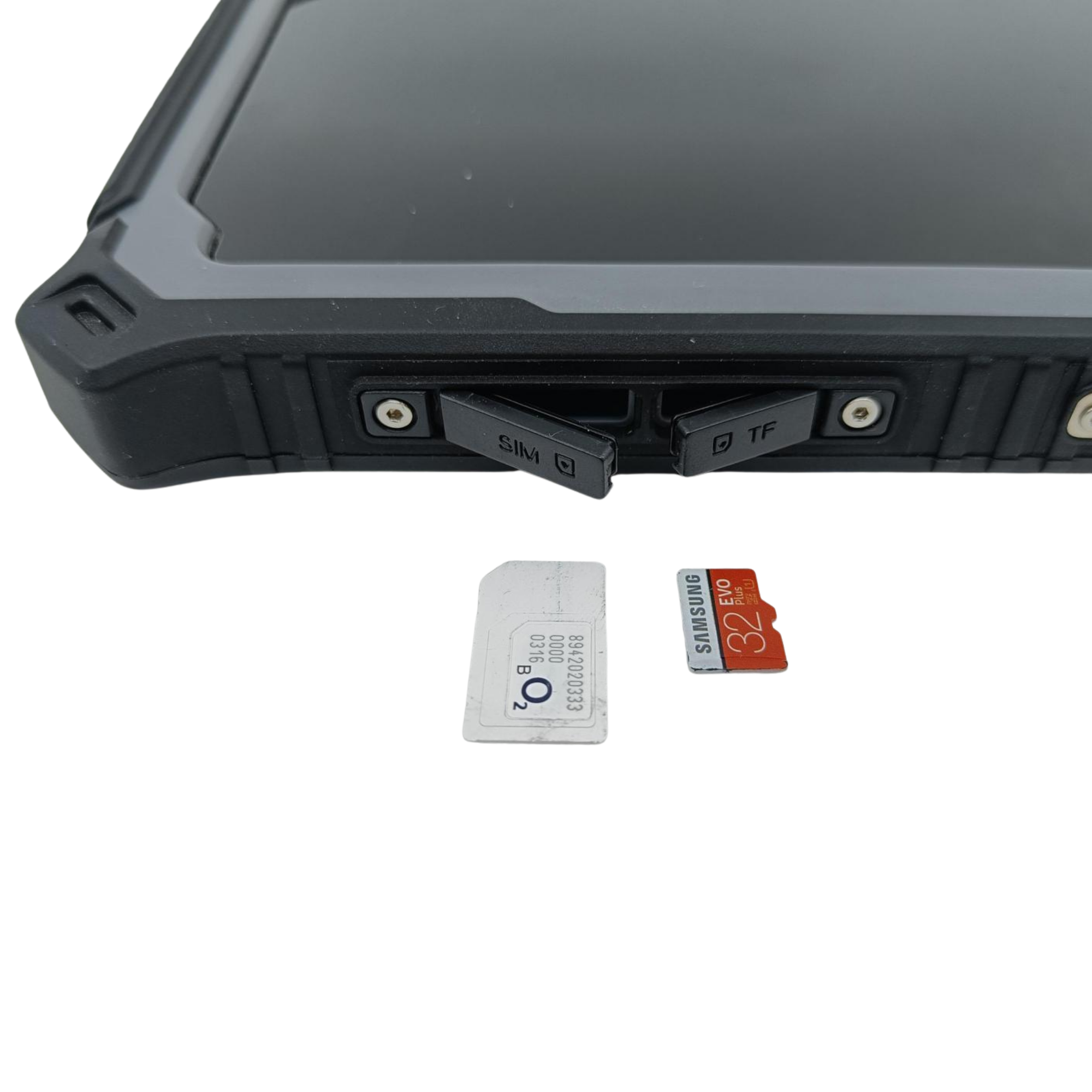
- Verify SIM Card Size: A standard full-size (mini) SIM card is strongly recommended. If you must use a nano or micro SIM, use the adapter supplied with your CI Pad. Never use punch-out plastic frames from the original carrier card.
- Orient the Card: With the CI Pad screen facing upward, align the SIM card according to the slot diagram and insert it into the designated SIM slot.
- Insert Until Clicked: Push the card all the way into the slot until you hear and feel a distinct "click" locking it into place.
- Verify the Port: Ensure the card is inserted into the correct SIM slot and not the SD card slot.
Warning: Using third-party adapters or loose punch-out frames can cause the SIM card to become jammed inside the slot, potentially damaging the internal reader pins. If pushing the card in with your finger is difficult, use a blunt object (such as a ballpoint pen). Never use sharp or metallic tools.
SD Card Installation
- Orient the Card: With the CI Pad screen facing upward, align the SD card with the SD slot.
- Insert Until Clicked: Push the card straight into the slot until it clicks securely into place.
Was this article helpful?
That’s Great!
Thank you for your feedback
Sorry! We couldn't be helpful
Thank you for your feedback
Feedback sent
We appreciate your effort and will try to fix the article