

Carpe Iter handlebar controllers are fully compatible with MyRoute-app (MRA) and provide enhanced functionality compared to generic remotes.
Enabling the Controller in MyRoute-app
Before use, controller input must be enabled within the MRA application settings:
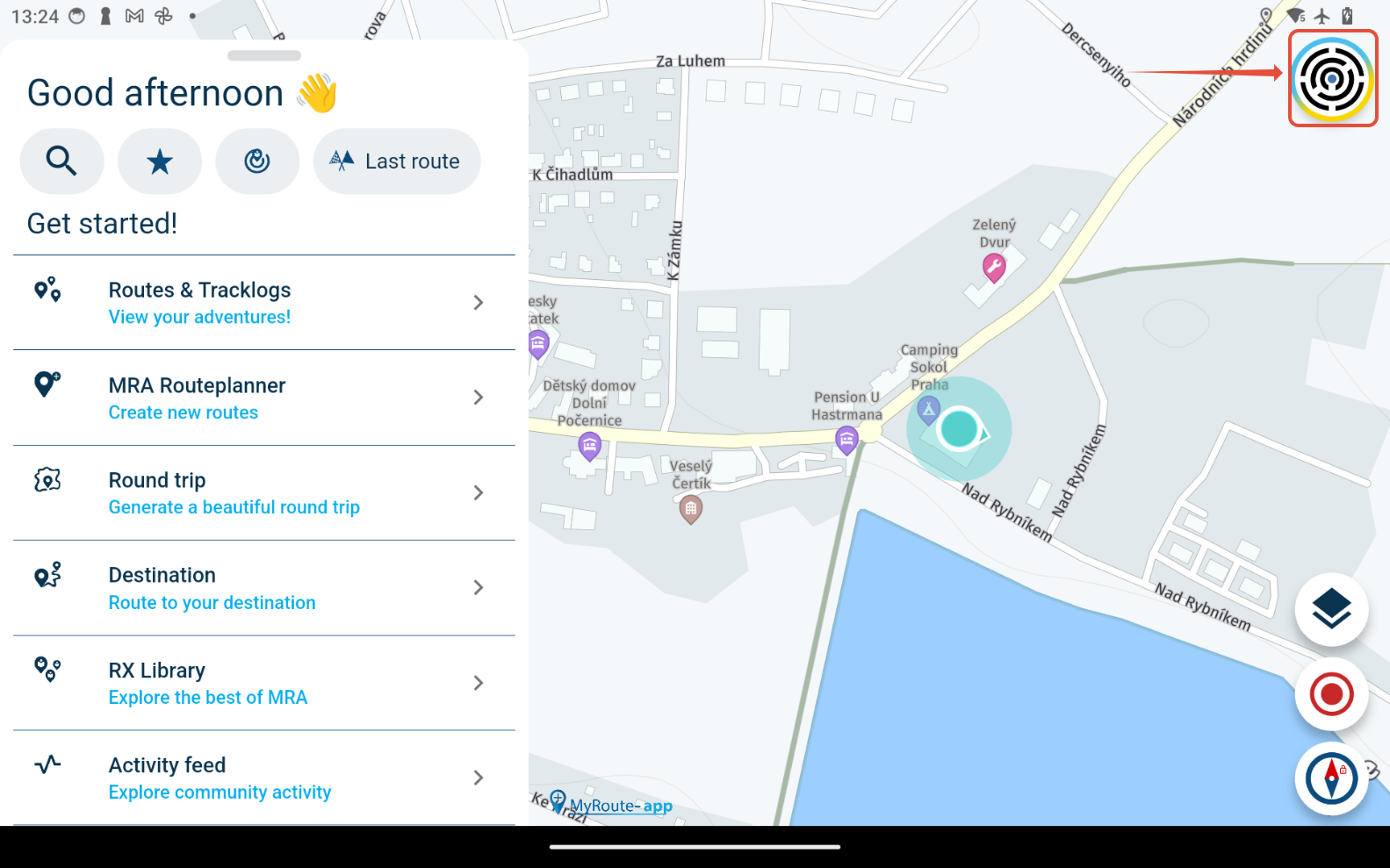
- On the MRA main screen, navigate to Account settings (tap your avatar in the top-right corner).
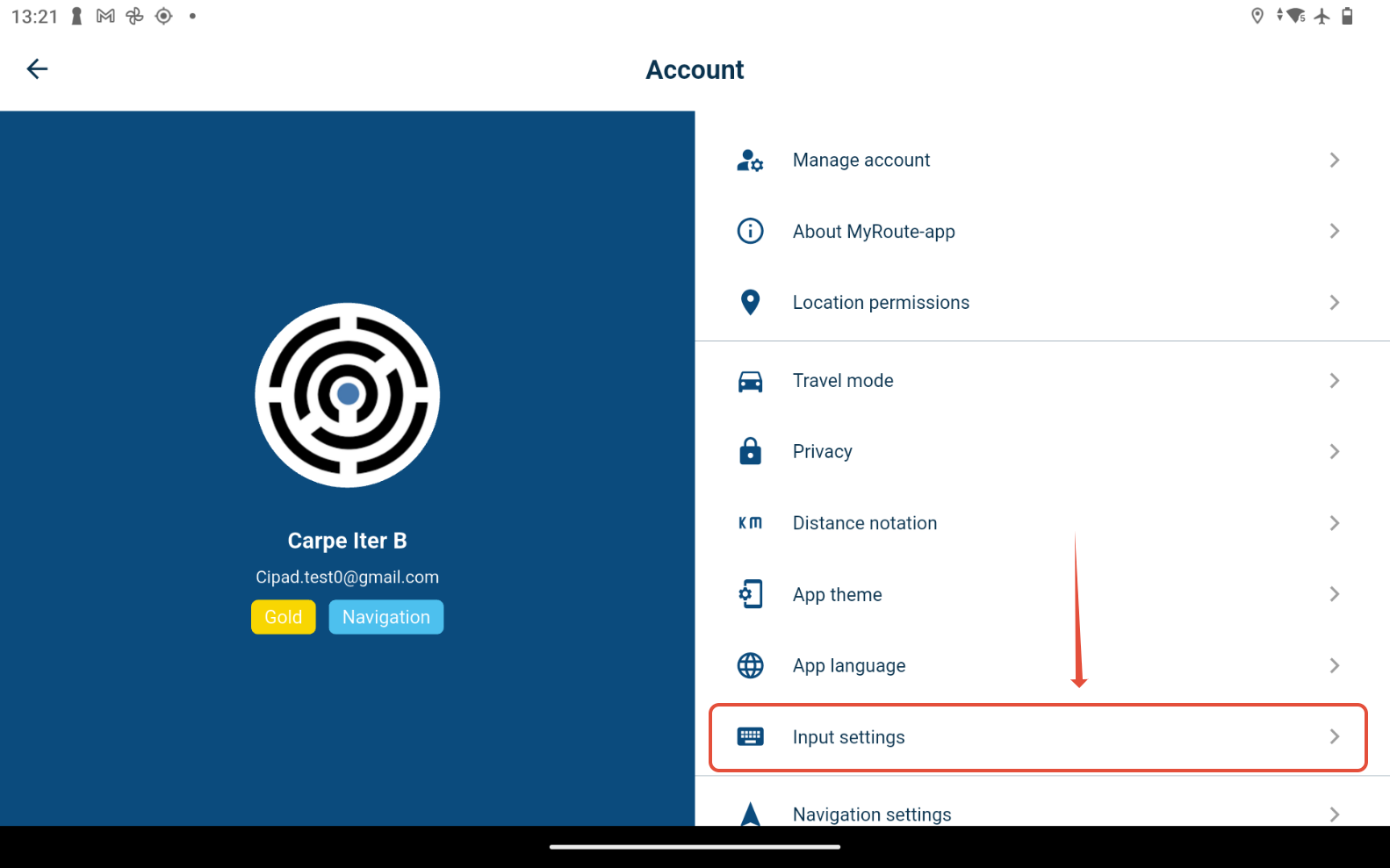
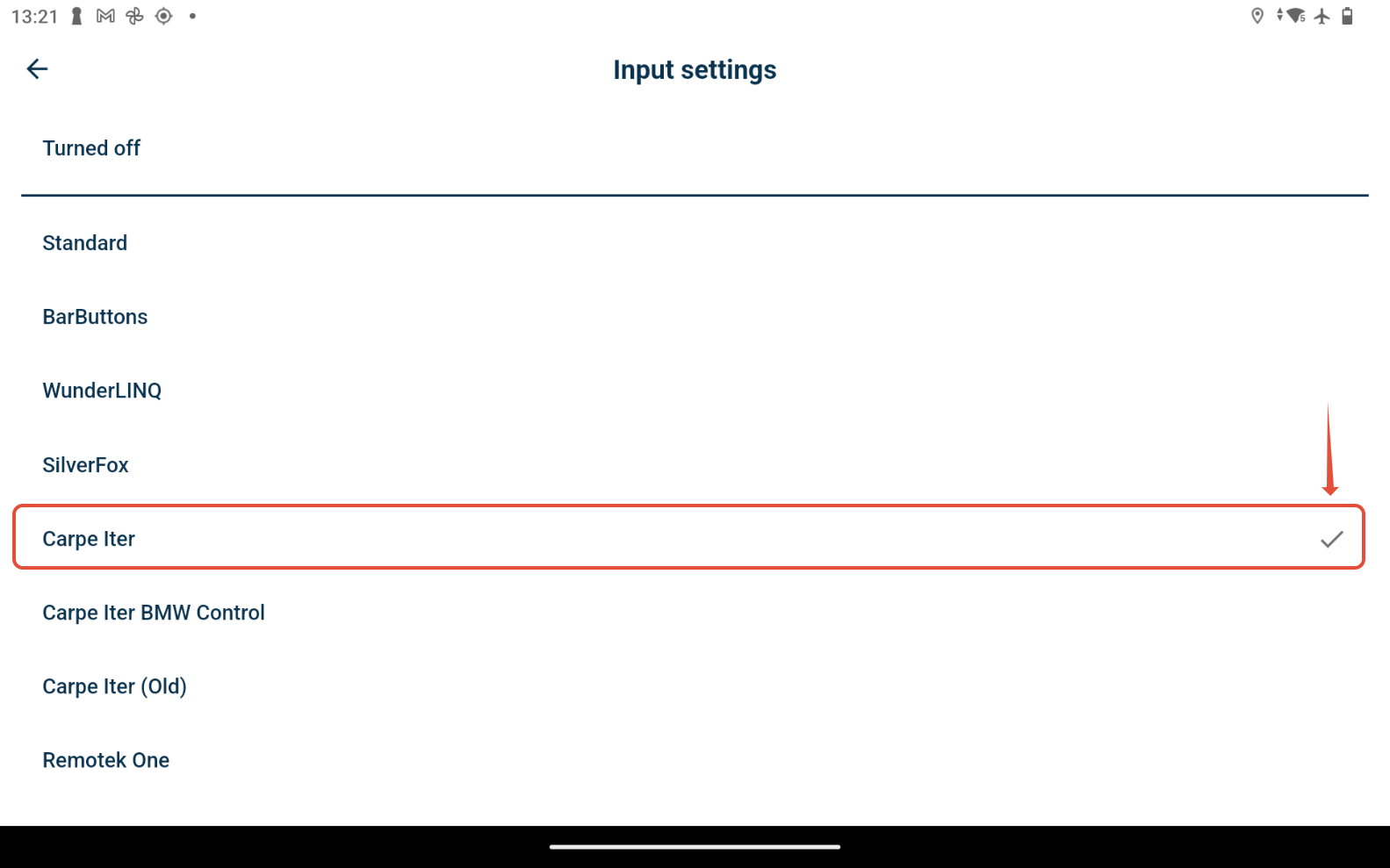
- Select Input settings from the menu and choose Carpe Iter.
Recommendation: Use the general "Carpe Iter" setting for all Carpe Iter controller models, including BMW Control and the BMW Multi-Controller integration on Caretta. The default button mapping is optimized specifically for this configuration.
Advanced Button Mapping
Carpe Iter controllers (including the BMW Multi-Controller on Caretta) can be further customized via the NGH (Next-gen HUD) controller configuration interface to reassign button actions and adjust layouts.
Was this article helpful?
That’s Great!
Thank you for your feedback
Sorry! We couldn't be helpful
Thank you for your feedback
Feedback sent
We appreciate your effort and will try to fix the article